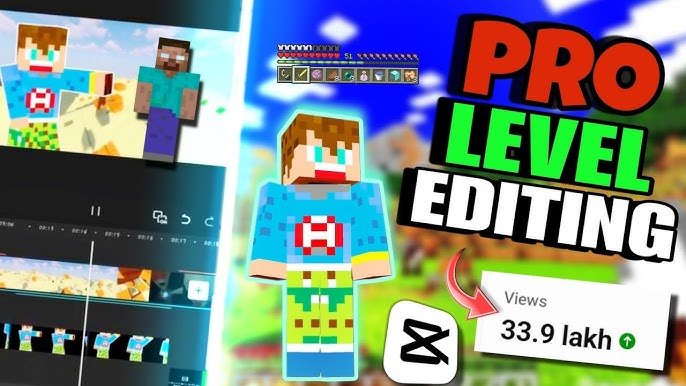
Category: Niche Specific Edits

  • How to Edit High-Quality Minecraft Shorts on Mobile (Create Viral Edits with Pro-Level Retention)

    How to Edit High-Quality Minecraft Shorts on Mobile (Create Viral Edits with Pro-Level Retention)

    Look, I’ve spent hours in the editing suite so you don’t have to—and if there’s one niche exploding in 2026, it’s this:

    Minecraft shorts.

    But here’s the problem most creators face:

    Their gameplay might be interesting… but their editing? Flat, slow, and easy to scroll past.

    That’s why mastering how to edit high-quality Minecraft shorts on mobile is the real advantage.

    Here is the real talk about high-retention editing:
    Minecraft content isn’t about gameplay anymore—it’s about pacing, storytelling, and visual energy.

    With tools like CapCut, Runway, and Sora, you can now create insane edits directly from your phone.

    And yeah—this is exactly what creators on vfxcut.xyz are doing to dominate short-form gaming content.


    Why Minecraft Shorts Go Viral in 2026

    Minecraft is perfect for short-form because:

    • Endless creativity
    • Fast-paced moments
    • Clear visual goals (builds, survival, challenges)

    But here’s the catch:

    Without editing, it’s boring.

    With the right editing:

    • You create tension
    • You guide attention
    • You boost retention

    Core Elements of High-Quality Minecraft Shorts

    To stand out, your video needs:

    • Fast pacing
    • Clean cuts
    • Engaging sound design
    • Smooth transitions
    • Strong hook in first 2–3 seconds

    And most importantly:

    Constant visual change.


    Best Mobile Tools for Minecraft Editing (2026)

    CapCut

    • Easy timeline editing
    • Built-in effects
    • Powerful keyframing
    • Perfect for mobile creators

    Runway

    • AI scene detection
    • Background enhancement
    • Motion smoothing

    Sora

    • Cinematic scene generation
    • Advanced storytelling visuals

    Minecraft Recording Tools

    • Screen recorder (built-in or third-party)
    • High FPS recording (60fps recommended)

    Comparison Table: Mobile Editing Tools

    ToolEase of UsePowerBest For
    CapCut⭐⭐⭐⭐⭐⭐⭐⭐⭐Full mobile editing
    Runway⭐⭐⭐⭐⭐⭐⭐⭐⭐AI enhancement
    Sora⭐⭐⭐⭐⭐⭐⭐⭐Cinematic scenes
    Premiere⭐⭐⭐⭐⭐⭐⭐Desktop workflows

    Step-by-Step: How to Edit High-Quality Minecraft Shorts on Mobile

    Let’s break down the exact proccess.


    Step 1: Record High-Quality Gameplay

    Before editing:

    • Record at 1080p or higher
    • Use 60fps for smooth motion
    • Avoid lag or frame drops

    Bad footage = limited results.


    Step 2: Start with a Strong Hook

    First 3 seconds:

    • Show the most exciting moment
    • Use fast cuts
    • Add text or sound instantly

    Example:
    “Can I survive this?” → instant action

    This is where retention begins.


    Step 3: Cut Aggressively

    Inside CapCut:

    • Remove all boring parts
    • Keep only action moments
    • Trim pauses and delays

    If it feels slow—it is slow.


    Step 4: Add Zoom Cuts and Motion

    Use keyframing to:

    • Zoom into important moments
    • Highlight reactions or action
    • Add movement to static clips

    Minecraft visuals benefit massively from zooms.


    Step 5: Sync with Audio

    Add:

    • Background music
    • Sound effects
    • Beat-based cuts

    Match cuts to beats for better flow.


    Step 6: Use Pattern Interrupts

    Every 2–3 seconds:

    • Add zoom
    • Change angle
    • Insert text

    This prevents viewer drop-off.


    Step 7: Add Subtitles and Text

    Minecraft shorts perform better with text:

    • Highlight key moments
    • Add humor
    • Reinforce story

    Bold, animated subtitles increase retention.


    Step 8: Enhance with AI Tools

    Use Runway to:

    • Improve clarity
    • Smooth motion
    • Enhance visuals

    Use Sora for:

    • Creative transitions
    • Cinematic storytelling

    Step 9: Apply Color Grading

    Yes—even Minecraft needs it.

    Use color grading to:

    • Boost contrast
    • Improve brightness
    • Enhance colors

    This makes your video pop.


    Step 10: Optimize for Looping

    Make your ending connect to the beginning.

    Looping increases:

    • Watch time
    • Replays
    • Algorithm boost

    Minecraft Editing Settings Checklist

    Before exporting:

    • Hook in first 3 seconds: ✔
    • Fast pacing: ✔
    • Keyframing applied: ✔
    • Zoom cuts balanced: ✔
    • Audio synced: ✔
    • Color grading polished: ✔
    • No boring sections: ✔
    • Loop works smoothly: ✔

    High-Retention Minecraft Editing Techniques (2026)

    1. Challenge-Based Editing

    Structure your video:

    • Setup
    • Conflict
    • Result

    Keeps viewers invested.


    2. Speed Ramping

    • Speed up boring parts
    • Slow down important moments

    Creates dynamic pacing.


    3. Micro Storytelling

    Even short videos need story:

    • Goal
    • Problem
    • Outcome

    4. AI-Assisted Editing

    Use Runway to:

    • Suggest cuts
    • Improve pacing
    • Automate tasks

    Common Mistakes (Avoid These)

    Let me save your time:

    • Keeping clips too long
    • Ignoring audio
    • No zoom or motion
    • Weak hook

    Also—don’t rely only on gameplay. Editing is what makes it viral.


    Advanced Workflow: Viral Minecraft Editing System

    Here’s what top creators are doing:

    1. Record high-quality gameplay
    2. Cut aggressively
    3. Add zoom and motion
    4. Sync with audio
    5. Insert pattern interrupts
    6. Enhance with AI
    7. Final polish with color grading

    This system creates consistent high-retention content.


    Final Thoughts (Creative Mentor Mode)

    Look—mastering how to edit high-quality Minecraft shorts on mobile isn’t about having the best device.

    It’s about:

    • Smart editing
    • Fast pacing
    • Intentional storytelling

    If your edits feel dynamic, your content feels professional—even if your recording on a phone.

    And that’s the real advantage in 2026.


    Call to Action

    Now it’s your turn.

    Take your Minecraft gameplay and turn it into a high-retention short using this workflow. Focus on pacing, motion, and storytelling.

    When you get it right, you’ll see the difference instantly.

    And if you want more pro-level editing breakdowns, workflows, and insider secrets, check out vfxcut.xyz—the ultimate hub for short-form creators and VFX enthusiasts.

    Your next viral Minecraft short isn’t about better gameplay.

    It’s about better editting.

  • Best Transition Ideas for “Get Ready With Me” (GRWM) Reels (Create Scroll-Stopping, High-Retention Edits)

    Best Transition Ideas for “Get Ready With Me” (GRWM) Reels (Create Scroll-Stopping, High-Retention Edits)

    Look, I’ve spent hours in the editing suite so you don’t have to—and here’s the truth most GRWM creators don’t realize:
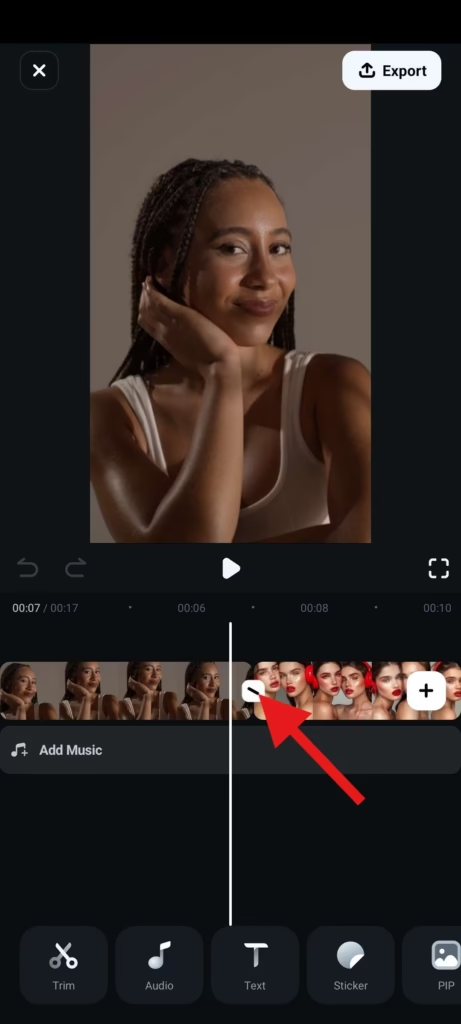
    Your transitions are your storytelling.

    Not your outfit. Not your makeup.

    If you master the best transition ideas for “Get Ready With Me” (GRWM) reels, your content instantly feels premium, addictive, and high-retention.

    Here is the real talk about high-retention editing:
    People don’t watch GRWM videos for the final look—they watch for the process.

    And transitions? They are what make that process feel smooth, satisfying, and binge-worthy.

    In 2026, creators are combining smart editing with AI tools like CapCut, Runway, and Sora to create next-level GRWM edits.

    And yeah—this is exactly what creators on vfxcut.xyz are using to keep viewers hooked till the last second.


    Why Transitions Matter in GRWM Content

    GRWM videos are repetitive by nature:

    • Apply product
    • Cut
    • Apply next product

    Without transitions, it gets boring fast.

    With the right transitions:

    • You create flow
    • You maintain attention
    • You increase retention

    The Psychology Behind GRWM Transitions

    GRWM works because of:

    • Transformation
    • Progression
    • Satisfaction

    Transitions amplify these emotions by:

    • Making changes feel instant
    • Creating visual rhythm
    • Adding micro-surprises

    Best Transition Ideas for “Get Ready With Me” (GRWM) Reels

    Let’s break down what’s actually working right now.


    1. Match Cut Transition (GRWM Classic)

    • Same pose → different stage
    • Before makeup → after foundation

    Why it works:

    • Feels seamless
    • Highlights transformation

    2. Hand Swipe Transition

    • Swipe hand across camera
    • Cut to next stage

    Pro tip:
    Match speed and direction.


    3. Object Cover Transition

    • Use makeup brush, phone, or hand
    • Cover lens → cut

    This creates a natural transition point.


    4. Zoom-In Transition (Keyframing Heavy)

    Use keyframing to:

    • Zoom into face
    • Cut at peak zoom
    • Resume motion

    This adds energy and focus.


    5. Spin Transition

    • Slight camera or head spin
    • Cut mid-motion

    Feels dynamic and trendy.


    6. Jump Cut Transformation

    • Instant switch between looks
    • No transition effect

    Raw but powerful.


    7. AI Scene Morph (Next-Level)

    Using Runway and Sora:

    • Blend makeup stages
    • Morph facial features
    • Create seamless transformation

    This is where 2026 editing gets crazy.


    Best Tools for GRWM Transition Editing

    CapCut

    • Easy transitions
    • Keyframing tools
    • Built-in effects

    Runway

    • AI transitions
    • Scene blending

    Sora

    • Cinematic transformations
    • AI-generated visuals

    Premiere Pro / After Effects

    • Advanced masking
    • Precision control

    Comparison Table: Transition Tools

    ToolEase of UsePowerBest For
    CapCut⭐⭐⭐⭐⭐⭐⭐⭐⭐Fast GRWM edits
    Runway⭐⭐⭐⭐⭐⭐⭐⭐⭐AI transitions
    Sora⭐⭐⭐⭐⭐⭐⭐⭐Cinematic morphs
    Premiere Pro⭐⭐⭐⭐⭐⭐⭐⭐Advanced workflows

    Step-by-Step: Creating High-Retention GRWM Transitions

    Let’s build a real workflow.


    Step 1: Plan Your Sequence

    Before filming:

    • Decide your stages
    • Plan transition points
    • Keep movements consistent

    Good planning = smooth edits.


    Step 2: Record with Intent

    While filming:

    • Keep camera stable
    • Repeat same position
    • Use consistent lighting

    This makes transitions cleaner.


    Step 3: Cut Precisely

    Inside CapCut:

    • Align clips frame-by-frame
    • Match positions
    • Remove unnecessary frames

    Precision is everything.


    Step 4: Add Motion with Keyframing

    Use keyframing to:

    • Add zoom-ins
    • Create motion flow
    • Smooth transitions

    This is where pro-level editting shows.


    Step 5: Sync with Audio

    Transitions should hit:

    • Beat drops
    • Sound effects
    • Voice cues

    Audio makes transitions feel intentional.


    Step 6: Apply Effects (Lightly)

    Add:

    • Motion blur
    • Whoosh sounds
    • Subtle transitions

    Don’t overdo it.


    Step 7: Color Match Everything

    Use color grading to:

    • Match skin tones
    • Fix lighting differences
    • Maintain consistency

    Nothing breaks immersion faster than mismatched color.


    GRWM Transition Settings Checklist

    Before exporting:

    • Transitions aligned: ✔
    • Keyframing smooth: ✔
    • Audio synced: ✔
    • Lighting consistent: ✔
    • Color grading matched: ✔
    • No jarring cuts: ✔
    • Flow feels natural: ✔

    High-Retention GRWM Techniques (2026)

    1. Micro Transitions Every Step

    Don’t wait for big changes.

    Add:

    • Small zooms
    • Quick cuts
    • Subtle movement

    2. Invisible Transitions

    The best transitions are hidden.

    They feel natural—not forced.


    3. Speed Ramping

    • Speed up application
    • Slow down reveal

    Creates drama.


    4. AI-Assisted Editing

    Use Runway to:

    • Smooth transitions
    • Blend frames
    • Improve pacing

    Common Mistakes (Avoid These)

    Let me save your time:

    • Overusing effects
    • Ignoring positioning
    • Bad lighting consistency
    • Not syncing with audio

    Also—don’t rely only on presets. Customize everything.


    Advanced Workflow: Viral GRWM Editing System

    Here’s what top creators are doing:

    1. Plan transitions before filming
    2. Record consistent footage
    3. Cut precisely
    4. Add keyframing motion
    5. Sync with audio
    6. Enhance with AI tools
    7. Final polish with color grading

    This system creates high-retention GRWM content consistently.


    Final Thoughts (Creative Mentor Mode)

    Look—mastering the best transition ideas for “Get Ready With Me” (GRWM) reels isn’t about flashy edits.

    It’s about flow.

    Every transition should:

    • Guide the viewer
    • Highlight transformation
    • Increase retention

    If your transitions feel smooth, your content feels premium—even if your using just your phone.

    And that’s the real advantage in 2026.


    Call to Action

    Now it’s your turn.

    Record a simple GRWM video and apply 2–3 transition techniques from this guide. Focus on timing, consistency, and subtlety.

    When you get it right, your content will instantly feel more engaging.

    And if you want more pro-level breakdowns, workflows, and insider secrets, check out vfxcut.xyz—the ultimate hub for short-form creators and VFX enthusiasts.

    Your next viral GRWM reel isn’t about the products you use.

    It’s about how you transition between them.

  • How to Edit Cinematic Travel Transitions in 1 Minute (Create Viral, High-Retention Travel Edits)

    How to Edit Cinematic Travel Transitions in 1 Minute (Create Viral, High-Retention Travel Edits)

    Look, I’ve spent hours in the editing suite so you don’t have to—and here’s the truth most travel creators don’t want to hear:
    Your footage isn’t the problem. Your transitions are.

    You can visit the most insane locations in the world… but if your edits feel slow or disconnected, people scroll.

    That’s why mastering how to edit cinematic travel transitions in 1 minute is one of the most valuable skills in 2026.

    Here is the real talk about high-retention editing:
    Travel videos don’t go viral because of where you go—they go viral because of how smoothly you move between moments.

    With tools like CapCut, Runway, and Sora, you can now create cinematic transitions directly on your phone—in under a minute.

    And yeah—this is exactly what creators on vfxcut.xyz are doing to build scroll-stopping travel reels.


    Why Cinematic Transitions Matter for Travel Content

    Travel content is all about:

    • Movement
    • Exploration
    • Discovery

    But without smooth transitions:

    • Clips feel disconnected
    • Story feels broken
    • Retention drops

    Cinematic transitions:

    • Connect locations seamlessly
    • Maintain visual flow
    • Create immersive storytelling

    The Core Principle: Motion Matching

    If you remember one thing, remember this:

    Motion continuity = cinematic transitions.

    This means:

    • Camera movement should match
    • Direction should stay consistent
    • Speed should feel natural

    Without this, even the best transitions feel fake.


    Best Tools for Fast Travel Editing (2026)

    CapCut

    • Fast workflow
    • Keyframing support
    • Built-in motion effects

    Runway

    • AI transition smoothing
    • Scene blending
    • Motion analysis

    Sora

    • Cinematic scene morphing
    • Advanced storytelling

    Premiere Pro / After Effects

    • Full manual control
    • Advanced masking and transitions

    Comparison Table: Travel Editing Tools

    ToolSpeedPowerBest For
    CapCut⭐⭐⭐⭐⭐⭐⭐⭐⭐Quick edits
    Runway⭐⭐⭐⭐⭐⭐⭐⭐⭐AI transitions
    Sora⭐⭐⭐⭐⭐⭐⭐⭐Cinematic scenes
    Premiere Pro⭐⭐⭐⭐⭐⭐⭐⭐Pro workflows

    Step-by-Step: How to Edit Cinematic Travel Transitions in 1 Minute

    Let’s break down the exact workflow.


    Step 1: Choose Matching Clips

    Pick clips that share:

    • Similar motion
    • Matching direction
    • Comparable framing

    Example:
    Walking forward → walking forward in next scene

    This is where most beginners fail.


    Step 2: Cut at Peak Motion

    Inside CapCut:

    • Find the moment of strongest motion
    • Cut exactly at that frame

    This hides the transition.


    Step 3: Add Motion Blur

    Apply:

    • Directional blur
    • Quick fade

    This smooths the cut instantly.


    Step 4: Use Keyframing for Zoom or Pan

    Add keyframing to:

    • Continue motion across clips
    • Enhance flow
    • Create cinematic feel

    Keep it subtle.


    Step 5: Sync with Audio

    Transitions should hit:

    • Beat drops
    • Sound effects
    • Music transitions

    Audio makes visuals feel intentional.


    Step 6: Color Match Clips

    Use color grading to:

    • Match exposure
    • Align tones
    • Fix lighting differences

    Nothing breaks cinematic flow faster than mismatched colors.


    Step 7: Export and Test Loop

    Loop your video.

    If transitions feel seamless → success.

    If not → adjust timing.


    Travel Transition Settings Checklist

    Before exporting:

    • Motion direction matches: ✔
    • Cuts at peak movement: ✔
    • Keyframing smooth: ✔
    • Motion blur applied: ✔
    • Audio synced: ✔
    • Color grading matched: ✔
    • No jarring transitions: ✔
    • Loop works cleanly: ✔

    Best Cinematic Travel Transitions (2026)

    1. Whip Pan Transition

    • Fast horizontal movement
    • Cut mid-motion

    Feels dynamic and natural.


    2. Walk-Through Transition

    • Walk into frame
    • Cut to new location

    Creates immersive storytelling.


    3. Object Pass Transition

    • Object crosses camera
    • Cut behind it

    Hides transition perfectly.


    4. Zoom Transition

    • Zoom into subject
    • Cut and continue motion

    Great for emphasis.


    5. AI Morph Transition

    Using Runway:

    • Blend scenes
    • Smooth transitions
    • Create seamless visuals

    High-Retention Travel Editing Techniques (2026)

    1. Micro Transitions Every 2–3 Seconds

    Don’t let your video feel static.

    Add:

    • Small zooms
    • Subtle pans
    • Quick cuts

    2. Invisible Transitions

    The best transitions are the ones viewers don’t notice.

    Focus on flow—not flash.


    3. Speed Ramping

    • Speed up before cut
    • Slow down after

    Creates energy and drama.


    4. AI-Assisted Workflow

    Use Runway to:

    • Enhance motion
    • Smooth transitions
    • Automate proccess

    Common Mistakes (Avoid These)

    Let me save your time:

    • Cutting without motion match
    • Overusing flashy effects
    • Ignoring color grading
    • Poor timing

    Also—don’t force transitions. Let motion guide you.


    Advanced Workflow: 1-Minute Cinematic System

    Here’s what pro creators do:

    1. Select clips with matching motion
    2. Cut at peak action
    3. Add motion blur
    4. Enhance with keyframing
    5. Sync with audio
    6. Polish with color grading

    This system creates cinematic travel edits fast.


    Final Thoughts (Creative Mentor Mode)

    Look—mastering how to edit cinematic travel transitions in 1 minute isn’t about speed.

    It’s about clarity.

    Every transition should:

    • Feel natural
    • Maintain motion
    • Increase retention

    If your transitions are smooth, your content feels cinematic—even if your shooting on a phone.

    And that’s the real advantage in 2026.


    Call to Action

    Now it’s your turn.

    Take your travel clips and create a 1-minute edit using these transition techniques. Focus on motion, timing, and flow.

    When you get it right, your videos will instantly feel more professional.

    And if you want more pro-level editing breakdowns, workflows, and insider secrets, check out vfxcut.xyz—the ultimate hub for short-form creators and VFX enthusiasts.

    Your next viral travel video isn’t about where you go.

    It’s about how you move between scenes.

  • Best Editing Style for “Day in the Life” Aesthetic Vlogs (Create Calm, Cinematic, High-Retention Content)

    Best Editing Style for “Day in the Life” Aesthetic Vlogs (Create Calm, Cinematic, High-Retention Content)

    Look, I’ve spent hours in the editing suite so you don’t have to—and here’s something most creators get completely wrong about aesthetic vlogs:
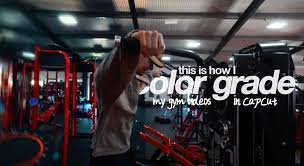
    They think slow = boring.

    But the truth?

    The best editing style for “Day in the Life” aesthetic vlogs is slow… but intentional.

    Here is the real talk about high-retention editing:
    Aesthetic content doesn’t keep people watching because it’s fast—it keeps them watching because it feels good to watch.

    That means:

    • Smooth pacing
    • Cinematic color grading
    • Subtle motion
    • Emotional storytelling

    In 2026, creators are combining minimal editing with AI tools like CapCut, Runway, and Sora to create calm, high-retention content.

    And yeah—this is exactly what creators on vfxcut.xyz are using to make aesthetic vlogs feel premium.


    What Defines an Aesthetic “Day in the Life” Editing Style?

    This style is all about feeling over speed.

    Core elements:

    • Soft transitions
    • Natural lighting
    • Warm tones
    • Minimal but intentional cuts
    • Ambient sound design

    It’s less about showing everything… and more about showing the right moments.


    Why This Style Works for Retention

    You might think fast edits = better retention.

    Not always.

    Aesthetic vlogs work because:

    • They relax the viewer
    • They create immersion
    • They feel authentic

    Instead of overstimulation, they provide:
    controlled engagement.


    Best Tools for Aesthetic Vlog Editing (2026)

    CapCut

    • Simple timeline
    • Smooth keyframing
    • Easy color grading

    Runway

    • AI color enhancement
    • Scene smoothing
    • Lighting adjustments

    Sora

    • Cinematic scene generation
    • Visual storytelling

    Premiere Pro / DaVinci Resolve

    • Advanced grading
    • Professional workflows

    Comparison Table: Editing Tools

    ToolEase of UseCinematic ControlBest For
    CapCut⭐⭐⭐⭐⭐⭐⭐⭐⭐Mobile creators
    Runway⭐⭐⭐⭐⭐⭐⭐⭐⭐AI enhancement
    Sora⭐⭐⭐⭐⭐⭐⭐⭐Cinematic visuals
    DaVinci Resolve⭐⭐⭐⭐⭐⭐⭐⭐Color grading pros

    Step-by-Step: Best Editing Style for “Day in the Life” Aesthetic Vlogs

    Let’s build a real workflow.


    Step 1: Select the Right Clips

    Choose clips that feel:

    • Calm
    • Natural
    • Visually pleasing

    Avoid chaotic or shaky footage.


    Step 2: Build a Soft Narrative

    Structure your vlog:

    • Morning routine
    • Midday activity
    • Evening wind-down

    Even simple content needs flow.


    Step 3: Cut with Intention

    Inside CapCut:

    • Keep clips longer than usual
    • Remove only distractions
    • Let moments breathe

    This is where many creators over-edit.


    Step 4: Add Subtle Motion with Keyframing

    Use keyframing to:

    • Slowly zoom in
    • Add gentle pan
    • Create movement

    Keep it minimal. This isn’t TikTok hype editing.


    Step 5: Apply Cinematic Color Grading

    This is the most important step.

    Use color grading to:

    • Warm up tones
    • Reduce harsh contrast
    • Create a soft look

    Pro tip:
    Lower highlights slightly for a filmic feel.


    Step 6: Use Soft Transitions

    Avoid harsh cuts.

    Use:

    • Cross dissolve
    • Fade in/out
    • Motion-based cuts

    Smooth transitions = better immersion.


    Step 7: Layer Ambient Sound

    Add:

    • Background noise (coffee shop, rain)
    • Soft music
    • Natural sounds

    Sound design is what makes it feel real.


    Step 8: Enhance with AI Tools

    Use Runway to:

    • Smooth lighting
    • Enhance colors
    • Fix inconsistencies

    Use Sora for:

    • Cinematic inserts
    • Creative storytelling

    Step 9: Maintain Visual Consistency

    Make sure:

    • Lighting matches
    • Colors are consistent
    • Style stays uniform

    Consistency builds trust.


    Step 10: Optimize for Retention

    Even slow videos need engagement:

    • Add micro motion every few seconds
    • Change angles subtly
    • Keep visuals evolving

    Aesthetic Editing Settings Checklist

    Before exporting:

    • Clips flow naturally: ✔
    • Keyframing subtle: ✔
    • Color grading consistent: ✔
    • Audio balanced: ✔
    • No harsh cuts: ✔
    • Lighting smooth: ✔
    • Mood consistent: ✔

    High-Retention Aesthetic Techniques (2026)

    1. Micro Movement

    Even calm videos need motion.

    Add:

    • Slight zooms
    • Gentle camera movement

    2. Emotional Timing

    Cut based on feeling—not just visuals.


    3. Natural Lighting Focus

    Use:

    • Window light
    • Golden hour

    Avoid artificial harsh lighting.


    4. AI-Assisted Cinematic Look

    Use Runway to:

    • Enhance mood
    • Balance lighting
    • Improve visuals

    Common Mistakes (Avoid These)

    Let me save your time:

    • Over-editing
    • Using flashy transitions
    • Ignoring sound design
    • Inconsistent color grading

    Also—don’t try to make aesthetic content fast-paced. That kills the vibe.


    Advanced Workflow: Cinematic Aesthetic System

    Here’s what top creators are doing:

    1. Capture natural footage
    2. Select calm, clean clips
    3. Edit minimally
    4. Add subtle keyframing
    5. Apply cinematic color grading
    6. Layer ambient sound
    7. Enhance with AI

    This system creates premium aesthetic content.


    Final Thoughts (Creative Mentor Mode)

    Look—mastering the best editing style for “Day in the Life” aesthetic vlogs isn’t about doing more.

    It’s about doing less… but better.

    Every edit should:

    • Feel natural
    • Support emotion
    • Maintain flow

    If your video feels calming and immersive, viewers stay—even if nothing “crazy” happens.

    Even if your using a phone, this style can make your content feel cinematic and professional.

    That’s the real power.


    Call to Action

    Now it’s your turn.

    Take a simple day from your life and edit it using this aesthetic workflow. Focus on mood, pacing, and subtle details.

    When you get it right, your content won’t just be watched—it will be felt.

    And if you want more pro-level breakdowns, editing workflows, and insider strategies, check out vfxcut.xyz—the ultimate hub for short-form creators and VFX enthusiasts.

    Your next viral vlog isn’t about doing more.

    It’s about creating a feeling people don’t want to leave.

  • How to Make Gym Workout Videos Look Epic with Speed Ramps (Create Viral, High-Energy Fitness Edits)

    How to Make Gym Workout Videos Look Epic with Speed Ramps (Create Viral, High-Energy Fitness Edits)

    Look, I’ve spent hours in the editing suite so you don’t have to—and if there’s one thing I’ve learned editing fitness content for short-form platforms, it’s this:
    Your workout isn’t what makes the video epic. Your pacing does.

    Most gym videos fail because they show effort… but not impact.

    Here is the real talk about high-retention editing:
    Speed ramps are not just a “cool effect”—they are a visual representation of power, intensity, and progression.

    In 2026, creators are combining cinematic pacing with AI tools like CapCut, Runway, and Sora to turn simple gym clips into explosive, viral content.

    And yeah—this is exactly the editing system used by creators on vfxcut.xyz to make fitness videos feel like movie trailers.


    Why Speed Ramps Work So Well in Gym Videos

    Gym content is naturally repetitive:

    • Lift
    • Drop
    • Repeat

    Without editing, it feels flat.

    Speed ramps fix this by:

    • Emphasizing effort
    • Highlighting impact moments
    • Creating rhythm and energy

    They turn ordinary reps into cinematic highlights.


    The Psychology Behind Speed Ramps

    Speed ramps manipulate perception:

    • Slow motion = power, tension
    • Fast motion = intensity, speed
    • Transition between both = emotional spike

    This creates:

    • Engagement spikes
    • Retention boosts
    • Visual satisfaction

    Best Tools for Speed Ramp Editing (2026)

    CapCut

    • Easy speed curve editor
    • Keyframing support
    • Mobile-friendly workflow

    Runway

    • AI motion smoothing
    • Scene enhancement
    • Auto pacing adjustments

    Sora

    • Cinematic motion generation
    • AI-assisted scene transitions

    Premiere Pro / After Effects

    • Advanced speed remapping
    • Precision control
    • Professional grading workflows

    Comparison Table: Speed Ramp Editing Tools

    ToolEase of UseSpeed ControlBest For
    CapCut⭐⭐⭐⭐⭐⭐⭐⭐⭐Fast gym edits
    Runway⭐⭐⭐⭐⭐⭐⭐⭐⭐AI enhancement
    Sora⭐⭐⭐⭐⭐⭐⭐⭐Cinematic visuals
    Premiere Pro⭐⭐⭐⭐⭐⭐⭐⭐Pro-level control

    Step-by-Step: How to Make Gym Workout Videos Look Epic with Speed Ramps

    Let’s build the exact workflow professionals use.


    Step 1: Record with Speed in Mind

    Before editing:

    • Film in high FPS (60–120fps)
    • Capture full motion reps
    • Keep camera stable

    This gives you flexibility in post.


    Step 2: Identify Impact Moments

    Look for:

    • Peak lift
    • Muscle contraction
    • Explosive movement

    These are your ramp points.


    Step 3: Cut at Motion Peaks

    Inside CapCut:

    • Cut at the moment of highest intensity
    • Align clips with movement direction

    This makes ramps feel natural.


    Step 4: Apply Speed Ramping (The Core Technique)

    Now the magic:

    • Slow motion during setup
    • Rapid speed during lift
    • Slow again at peak contraction

    This creates cinematic tension.


    Step 5: Add Keyframing for Motion Flow

    Use keyframing to:

    • Smooth speed transitions
    • Stabilize movement
    • Add subtle zooms

    This prevents robotic speed shifts.


    Step 6: Sync with Audio Beats

    Speed ramps MUST match audio:

    • Slow motion on buildup
    • Fast motion on beat drop
    • Impact sound on lift

    This is where retention spikes.


    Step 7: Apply Cinematic Color Grading

    Use color grading to:

    • Increase contrast
    • Deepen shadows
    • Enhance muscle definition

    This makes physique pop visually.


    Step 8: Add AI Enhancement (Optional but Powerful)

    Use Runway to:

    • Smooth motion artifacts
    • Enhance lighting
    • Stabilize footage

    Use Sora for:

    • Cinematic transitions
    • AI motion interpolation

    Speed Ramp Settings Checklist

    Before exporting:

    • High FPS footage used: ✔
    • Ramp points aligned with motion: ✔
    • Keyframing smooth: ✔
    • Audio synced: ✔
    • Color grading applied: ✔
    • No jitter in motion: ✔
    • Flow feels natural: ✔

    Best Speed Ramp Styles for Gym Videos (2026)

    1. Explosive Lift Ramp

    • Slow prep → fast lift → slow hold

    Creates maximum impact.


    2. Beast Mode Ramp

    • Fast montage → slow-motion highlights

    Perfect for hype edits.


    3. Pulse Ramp

    • Repeating slow-fast cycles

    Builds rhythm and intensity.


    4. AI Motion Ramp

    Using Runway:

    • Auto-detect motion peaks
    • Smooth transitions

    High-Retention Gym Editing Techniques

    1. Micro Ramps Every 2–3 Seconds

    Don’t keep pacing static.

    Add:

    • Small speed shifts
    • Subtle zooms
    • Movement variation

    2. Invisible Transitions

    Best edits don’t feel edited.

    Use motion continuity instead of flashy cuts.


    3. Sound-Driven Editing

    • Grunt on lift
    • Beat drop on impact
    • Whoosh on speed shift

    Sound = emotional trigger.


    4. Contrast Editing

    Alternate:

    • Slow powerful moments
    • Fast explosive reps

    This keeps viewers engaged.


    Common Mistakes (Avoid These)

    Let me save your time:

    • Overusing extreme speed changes
    • Ignoring audio sync
    • Poor lighting in footage
    • Random ramp timing

    Also—don’t apply speed ramps without purpose. That’s the fastest way to kill cinematic feel.


    Advanced Workflow: Epic Gym Edit System

    Here’s what pro creators do:

    1. Record high FPS gym footage
    2. Select impact moments
    3. Cut at motion peaks
    4. Apply speed ramps
    5. Add keyframing refinement
    6. Sync with powerful audio
    7. Apply cinematic color grading
    8. Enhance with AI tools

    This workflow turns basic gym clips into viral content.


    Final Thoughts (Creative Mentor Mode)

    Look—learning how to make gym workout videos look epic with speed ramps isn’t about making edits faster.

    It’s about controlling perception of power.

    Every speed shift should:

    • Highlight effort
    • Emphasize impact
    • Build energy

    If your pacing is right, even a simple dumbbell curl can feel like a movie scene.

    And that’s the difference between average content and viral fitness edits in 2026.

    Even if your shooting on a phone, this technique can completely change how your audience sees your workouts.


    Call to Action

    Now it’s your turn.

    Take your gym footage and rebuild it using speed ramps, audio syncing, and cinematic grading. Focus on impact moments and smooth transitions.

    When done right, your videos will feel instantly more powerful and professional.

    And if you want more pro editing workflows, AI breakdowns, and insider VFX secrets, check out vfxcut.xyz—the ultimate hub for short-form creators and VFX enthusiasts.

    Your next viral gym video isn’t about lifting heavier.

    It’s about making every rep look heavier.

  • Editing Food Recipes for TikTok: Best Angles and Cuts (Create Viral, Mouth-Watering Shorts That Keep People Watching)

    Editing Food Recipes for TikTok: Best Angles and Cuts (Create Viral, Mouth-Watering Shorts That Keep People Watching)

    Look, I’ve spent years inside editing timelines for food creators so you don’t have to—and here’s the blunt truth:

    Most recipe videos fail not because the food is bad… but because the angles and cuts are boring.

    In 2026, TikTok food content is no longer about “just showing the recipe.”

    It’s about:

    • Visual satisfaction
    • Fast storytelling
    • Sensory engagement
    • Perfect pacing

    Here is the real talk about high-retention editing:
    People don’t watch food videos to learn—they watch to feel hungry instantly.

    And if you master editing food recipes for TikTok: best angles and cuts, you can turn even basic home cooking into viral content.

    Creators on vfxcut.xyz are already using cinematic editing systems with AI tools like CapCut, Runway, and Sora to make food look like luxury commercials.


    Why Angles and Cuts Matter in Food Videos

    Food content is extremely visual-driven.

    Bad editing =

    • No appetite trigger
    • Low retention
    • Scroll away in 1 second

    Good editing =

    • Instant craving
    • Emotional reaction
    • Loop rewatching

    The difference is not the recipe—it’s the presentation language.


    The Psychology of Food Editing

    Food videos work because of:

    • Texture satisfaction
    • Color appeal
    • Motion anticipation

    Your job as an editor is to amplify:

    • Crunch
    • Steam
    • Pouring
    • Cutting

    Every cut should feel like a sensory hit.


    Best Angles for Food Recipe Videos (2026 Standard)

    1. Top-Down (Flat Lay Angle)

    • Perfect for preparation stages
    • Shows full workspace

    Best for:

    • Ingredient mixing
    • Plating setup

    2. Macro Close-Up Shots

    • Focus on texture
    • Cheese pull, sizzling, cutting

    This triggers appetite response instantly.


    3. Side Angle (Cinematic Depth)

    • Adds realism
    • Highlights motion

    Best for:

    • Cooking pans
    • Grilling shots

    4. POV (Point of View)

    • Viewer feels inside the cooking process
    • Extremely immersive

    5. Slow Motion Detail Shots

    • Oil drizzle
    • Sauce pour
    • Knife slicing

    This is where retention spikes.


    Best Cuts for TikTok Food Videos

    1. Jump Cuts (Fast Recipe Flow)

    • Remove waiting time
    • Keep only key actions

    2. Match Cuts (Smooth Transitions)

    • Ingredient → cooked result
    • Raw → plated

    Creates satisfaction.


    3. Speed Ramps (Cooking Drama)

    • Slow pour → fast chop → slow plating

    Adds cinematic energy.


    4. Reaction Cuts

    • Cook → reaction → dish reveal

    Builds emotional connection.


    5. ASMR Cuts

    • Crisp sound-focused edits
    • No music, pure sound

    Highly engaging in 2026.


    Best Tools for Food Editing (2026)

    CapCut

    • Fast trimming
    • Auto captions
    • Built-in effects

    Runway

    • AI cleanup
    • Lighting enhancement
    • Background refinement

    Sora

    • Cinematic food generation
    • Scene enhancement

    Premiere Pro / DaVinci Resolve

    • Advanced color grading
    • Professional cut control

    Comparison Table: Editing Tools for Food Content

    ToolSpeedAI PowerBest For
    CapCut⭐⭐⭐⭐⭐⭐⭐⭐⭐Fast TikTok edits
    Runway⭐⭐⭐⭐⭐⭐⭐⭐⭐AI enhancements
    Sora⭐⭐⭐⭐⭐⭐⭐⭐Cinematic food visuals
    Premiere Pro⭐⭐⭐⭐⭐⭐⭐⭐Pro color grading

    Step-by-Step: Editing Food Recipes for TikTok

    Let’s build a viral food editing workflow.


    Step 1: Capture with Editing in Mind

    While filming:

    • Use multiple angles
    • Keep lighting consistent
    • Shoot close-ups of textures

    Bad footage = impossible fix.


    Step 2: Build a Fast Story Structure

    Your recipe should feel like:

    • Hook (final dish teaser)
    • Ingredients
    • Cooking process
    • Final reveal

    No unnecessary steps.


    Step 3: Cut Ruthlessly

    Inside CapCut:

    • Remove waiting time
    • Cut boring transitions
    • Keep only visual impact moments

    This is retention editing.


    Step 4: Add Motion-Based Editing

    Use:

    • Zoom-ins
    • Speed ramps
    • Whip cuts

    Food must feel alive.


    Step 5: Enhance Texture with Color Grading

    Use color grading to:

    • Increase warmth
    • Enhance saturation
    • Boost contrast

    Food should look delicious—not flat.


    Step 6: Sync Cuts with Sound

    • Knife chop = beat
    • Sizzle = rhythm
    • Pour = accent

    Sound design is everything in food content.


    Step 7: Add AI Enhancement

    Use Runway to:

    • Enhance lighting
    • Sharpen textures
    • Clean visuals

    Optional: Use Sora for cinematic inserts.


    Editing Settings Checklist for Food Videos

    Before exporting:

    • Angles varied properly: ✔
    • Cuts are fast and clean: ✔
    • Textures clearly visible: ✔
    • Color grading applied: ✔
    • Audio synced with visuals: ✔
    • No dead time: ✔
    • Final dish shown early: ✔

    High-Retention Food Editing Techniques (2026)

    1. Front-Loading the Final Dish

    Always show:

    • Finished meal in first 2 seconds

    This increases retention instantly.


    2. Texture Emphasis Cuts

    Zoom into:

    • Cheese melt
    • Crispy edges
    • Sauce drip

    3. Invisible Transitions

    Cut on motion:

    • Stir → cut
    • Slice → cut

    Feels seamless.


    4. Multi-Angle Rotation

    Switch between:

    • Top-down
    • Close-up
    • Side angle

    Keeps visual interest alive.


    Common Mistakes (Avoid These)

    Let me save your time:

    • Showing too much preparation
    • Static camera shots
    • Poor lighting setup
    • Over-editing with effects

    Also—don’t drag recipes. TikTok rewards speed.


    Advanced Workflow: Viral Food Video System

    Top creators follow this system:

    1. Film multiple angles
    2. Capture macro textures
    3. Select only impactful moments
    4. Cut aggressively
    5. Add motion-based edits
    6. Apply color grading
    7. Sync sound perfectly
    8. Enhance with AI tools

    This creates addictive food content.


    Final Thoughts (Creative Mentor Mode)

    Look—mastering editing food recipes for TikTok: best angles and cuts isn’t about fancy cameras.

    It’s about making food feel irresistible through motion and timing.

    Every cut should:

    • Trigger appetite
    • Maintain flow
    • Increase retention

    If your editing is right, even a simple egg sandwich can look like a Michelin-star dish.

    And that’s the real power of editing in 2026.

    Even if your shooting on a phone, this workflow can completely transform your food content.


    Call to Action

    Now it’s your turn.

    Record a simple recipe and re-edit it using these angles and cutting techniques. Focus on texture, speed, and storytelling.

    When you get it right, your viewers won’t just watch—they’ll feel hungry instantly.

    And if you want more pro-level editing systems, AI workflows, and viral content strategies, check out vfxcut.xyz—the ultimate hub for short-form creators and VFX enthusiasts.

    Your next viral food video isn’t about what you cook.

    It’s about how you cut it.

  • How to Record and Edit High-Quality Voiceovers on a Phone (Pro-Level Audio for Viral Short-Form Content)

    How to Record and Edit High-Quality Voiceovers on a Phone (Pro-Level Audio for Viral Short-Form Content)

    Look, I’ve spent years cleaning up messy audio in post-production so you don’t have to—and here’s the uncomfortable truth most creators ignore:
    Your video can look cinematic, but if your voiceover sounds cheap, the whole thing feels amateur.

    In 2026, short-form platforms like TikTok, Instagram Reels, and YouTube Shorts are prioritizing one thing more than ever:

    👉 Clear, emotionally engaging voiceovers.

    That’s why mastering how to record and edit high-quality voiceovers on a phone is now a core skill for creators.

    And here’s the real talk about high-retention editing:
    Viewers don’t just watch content—they listen first. If your audio hooks them in the first 2 seconds, your retention skyrockets.

    Creators on vfxcut.xyz are already using mobile-first workflows combined with AI tools like CapCut, Runway, and Sora to produce studio-level voiceovers directly from their phones.

    Let’s break it down like a pro sound engineer would.


    Why Voiceovers Matter More Than Ever in 2026

    Voiceovers are no longer just narration.

    They are:

    • Emotional direction
    • Story pacing
    • Viewer retention control

    A strong voiceover can:

    • Hold attention without visuals
    • Guide emotional response
    • Increase watch time significantly

    Bad voiceover = instant scroll.


    The Psychology of High-Retention Voiceovers

    A great voiceover works because of:

    • Tone variation
    • Strategic pauses
    • Emotional pacing
    • Clarity and texture

    Your voice is not just sound—it’s storytelling.


    Best Tools for Mobile Voiceover Recording (2026)

    CapCut

    • Built-in voice recorder
    • Noise reduction tools
    • Auto-sync with video

    Runway

    • AI voice cleanup
    • Audio enhancement
    • Background noise removal

    Sora

    • AI-generated narration
    • Synthetic voice enhancement

    Native Phone Recorder (iOS/Android)

    • Best raw capture quality
    • Zero compression editing

    Comparison Table: Voiceover Tools

    ToolAudio QualityAI EnhancementBest For
    CapCut⭐⭐⭐⭐⭐⭐⭐⭐Fast editing
    Runway⭐⭐⭐⭐⭐⭐⭐⭐⭐AI cleanup
    Sora⭐⭐⭐⭐⭐⭐⭐⭐Synthetic voice
    Phone Recorder⭐⭐⭐⭐⭐⭐⭐Raw recording

    Step-by-Step: How to Record High-Quality Voiceovers on a Phone

    Let’s build a professional workflow.


    Step 1: Control Your Recording Environment

    Before you even hit record:

    • Choose a quiet room
    • Avoid echo-heavy spaces
    • Turn off fans or background noise

    Pro tip: Closet spaces work surprisingly well.


    Step 2: Use Proper Mic Positioning

    Your phone mic should be:

    • 6–10 inches from your mouth
    • Slightly off-axis (not directly in front)

    This reduces harsh plosives.


    Step 3: Speak with Intent (Not Just Words)

    Here is where most creators fail.

    Don’t just talk—perform:

    • Emphasize key words
    • Add pauses
    • Control pacing

    Think of it like storytelling, not reading.


    Step 4: Record Multiple Takes

    Never settle for one take.

    Record:

    • Fast version
    • Slow version
    • Emotional version

    You can always edit later.


    Step 5: Clean Audio in CapCut

    Inside CapCut:

    • Apply noise reduction
    • Normalize volume
    • Remove background hiss

    This is your first cleanup stage.


    Step 6: AI Audio Enhancement

    Use Runway to:

    • Remove echo
    • Enhance clarity
    • Balance frequencies

    This is where audio becomes studio-grade.


    Step 7: Sync Voiceover with Visuals

    Your voice must match:

    • Cuts
    • Motion
    • Transitions

    Bad sync = broken immersion.


    Step 8: Add Emotional Sound Design

    Enhance storytelling with:

    • Background ambience
    • Subtle music
    • Sound effects (whooshes, clicks)

    This increases retention dramatically.


    Voiceover Editing Checklist (Mobile Workflow)

    Before exporting:

    • No background noise: ✔
    • Consistent volume levels: ✔
    • Clear articulation: ✔
    • Emotional pacing correct: ✔
    • Sync with visuals: ✔
    • Clean pauses included: ✔

    Best Techniques for Viral Voiceovers (2026)

    1. Hook in First 2 Seconds

    Start strong:

    • Question
    • Bold statement
    • Emotional trigger

    Example:
    “You’re editing your videos wrong—and it’s killing your views.”


    2. Micro-Pauses for Retention

    Silence is powerful.

    Use pauses to:

    • Build tension
    • Highlight key points

    3. Dynamic Tone Shifts

    Avoid monotone speech:

    • Slow → fast
    • Calm → intense

    This keeps viewers engaged.


    4. Layered Audio Editing

    Combine:

    • Voiceover
    • Background music
    • Subtle effects

    This creates depth.


    5. AI Voice Enhancement

    Use Runway to:

    • Smooth inconsistencies
    • Enhance clarity
    • Fix imperfections

    Common Mistakes (Avoid These)

    Let me save your time:

    • Recording in noisy environments
    • Speaking too fast or monotone
    • Ignoring audio sync
    • Over-processing with effects

    Also—don’t try to fix bad recording with heavy filters. Fix it at the source.


    Advanced Workflow: Pro Mobile Voiceover System

    Here’s how professionals do it:

    1. Record multiple takes on phone
    2. Select best performance
    3. Clean audio in CapCut
    4. Enhance with AI tools
    5. Sync with visuals
    6. Add sound design layer
    7. Final polish with compression

    This workflow makes mobile audio sound studio-grade.


    Final Thoughts (Creative Mentor Mode)

    Look—mastering how to record and edit high-quality voiceovers on a phone isn’t about having expensive gear.

    It’s about:

    • Clarity
    • Emotion
    • Control

    If your voice sounds confident and clean, your entire video feels premium—even if it’s shot on a phone in your room.

    And that’s the real advantage in 2026.

    Even if your setup is basic, your storytelling can still sound professional.


    Call to Action

    Now it’s your turn.

    Record a simple voiceover on your phone and apply these editing techniques. Focus on clarity, pacing, and emotional delivery.

    When done right, your content will instantly feel more engaging and professional.

    And if you want more pro-level audio workflows, editing breakdowns, and AI-powered content strategies, check out vfxcut.xyz—the ultimate hub for short-form creators and VFX enthusiasts.

    Your next viral video doesn’t start with visuals.

    It starts with your voice.

  • Best Mobile Camera Settings for Low-Light Short-Form Content (Create Clean, Cinematic Night Videos That Go Viral)

    Best Mobile Camera Settings for Low-Light Short-Form Content (Create Clean, Cinematic Night Videos That Go Viral)

    Look, I’ve spent years fixing grainy, noisy low-light footage in post-production so you don’t have to—and here’s the truth most creators learn the hard way:

    Bad low-light settings can destroy even the best creative idea.

    You can have perfect storytelling, strong hooks, and viral pacing—but if your night footage looks muddy, viewers scroll instantly.

    Here is the real talk about high-retention editing:
    Low-light content is where creators either look amateur or cinematic. There is no middle ground.

    In 2026, platforms like TikTok and Instagram Reels are pushing cinematic realism more than ever, and creators are now using AI-enhanced workflows with tools like CapCut, Runway, and Sora to clean up mobile footage and elevate night visuals.

    And yeah—this is exactly the kind of workflow used by creators on vfxcut.xyz to turn low-light phone clips into cinematic short-form content.


    Why Low-Light Settings Matter More Than Ever

    Low-light content is everywhere now:

    • Night vlogs
    • Street reels
    • Neon aesthetic edits
    • Car POV videos
    • Indoor cinematic shots

    But the challenge is always the same:

    • Noise (grain)
    • Motion blur
    • Loss of detail
    • Poor color accuracy

    Your camera settings determine whether your footage is usable—or ruined.


    The Science Behind Low-Light Mobile Video

    Low-light performance depends on:

    • Sensor sensitivity (ISO)
    • Light intake (aperture)
    • Shutter speed
    • Digital processing

    Your goal is simple:

    👉 Let in more light without destroying clarity.


    Best Mobile Camera Settings for Low-Light Short-Form Content

    Let’s break it down like a pro cinematographer would.


    1. Frame Rate: 30fps (or 24fps for cinematic look)

    • 30fps = balanced motion + light capture
    • 24fps = more cinematic but less smooth

    Avoid 60fps in low light unless necessary—it reduces light intake.


    2. Shutter Speed: 1/50 or 1/60 Rule

    This is critical.

    • 30fps → 1/60 shutter
    • 24fps → 1/50 shutter

    Why?

    • Prevents unnatural motion blur
    • Maintains cinematic realism

    3. ISO: Keep as Low as Possible

    • Ideal range: ISO 100–800
    • Avoid going beyond 1600

    Higher ISO = more noise.


    4. White Balance: Lock It Manually

    Do NOT use auto white balance.

    Set manually:

    • Warm lighting → 3000K–4000K
    • Street lights → 4000K–5000K
    • Neon → adjust based on tone

    This prevents color shifting mid-shot.


    5. Exposure Compensation (-0.3 to -1.0)

    Slightly underexpose your shot:

    • Preserves highlights
    • Reduces noise amplification
    • Improves grading flexibility

    6. Focus Mode: Manual or Locked AF

    Avoid autofocus hunting.

    Use:

    • Manual focus
    • Tap-to-lock focus

    Keeps subject stable.


    7. HDR Mode: OFF for Video

    HDR in low light often:

    • Creates ghosting
    • Adds unnatural contrast
    • Reduces cinematic feel

    Mobile Camera Settings Checklist (Low-Light Optimization)

    Before recording:

    • Frame rate locked (24/30fps): ✔
    • Shutter speed matched: ✔
    • ISO kept low: ✔
    • White balance locked: ✔
    • Exposure slightly reduced: ✔
    • Focus locked: ✔
    • HDR disabled: ✔

    Comparison Table: Low-Light Editing Tools (2026)

    ToolNoise ReductionAI EnhancementBest Use Case
    CapCut⭐⭐⭐⭐⭐⭐⭐⭐Fast mobile edits
    Runway⭐⭐⭐⭐⭐⭐⭐⭐⭐⭐AI cleanup + enhancement
    Sora⭐⭐⭐⭐⭐⭐⭐⭐⭐Cinematic generation
    Native Camera⭐⭐⭐⭐⭐Raw capture only

    Step-by-Step: How to Shoot and Edit Low-Light Mobile Content

    Let’s build a pro-level workflow.


    Step 1: Control Your Light Source

    In low-light shooting:

    • Use practical light (lamps, neon, street lights)
    • Avoid complete darkness
    • Add small fill light if possible

    Even weak light is better than none.


    Step 2: Lock Your Camera Settings

    Set manually:

    • Frame rate
    • ISO
    • Shutter speed
    • White balance

    This prevents auto adjustments ruining your shot.


    Step 3: Stabilize Your Shot

    Low light = more motion blur risk.

    Use:

    • Tripod
    • Gimbal
    • Or stable handheld grip

    Shaky footage becomes worse in darkness.


    Step 4: Shoot in Short Takes

    Avoid long continuous shots.

    Instead:

    • Record multiple short clips
    • Focus on key moments

    This improves editing flexibility.


    Step 5: Import Into CapCut

    Inside CapCut:

    • Apply noise reduction
    • Stabilize footage
    • Adjust brightness carefully

    Step 6: AI Enhancement for Low-Light

    Use Runway to:

    • Reduce grain
    • Enhance shadows
    • Improve sharpness

    AI helps recover lost detail.


    Step 7: Color Grading for Cinematic Look

    This is where transformation happens.

    Use color grading to:

    • Add contrast
    • Boost shadows
    • Slightly desaturate highlights
    • Apply cinematic LUTs

    Goal: film-like mood, not phone look.


    Step 8: Enhance with AI Generation (Optional)

    Use Sora for:

    • Cinematic inserts
    • Lighting enhancements
    • Scene extensions

    High-Retention Low-Light Editing Techniques

    1. Contrast-Based Editing

    Low-light content works best when:

    • Bright highlights pop
    • Shadows stay deep

    2. Motion Illumination Technique

    Move light sources during recording:

    • Walking past neon lights
    • Passing cars
    • Flickering signs

    Adds cinematic energy.


    3. Micro Light Flares

    Use editing effects to simulate:

    • Lens flares
    • Glow effects
    • Light leaks

    4. Slow Reveal Cuts

    Don’t show everything instantly.

    Reveal:

    • Subject gradually
    • Environment slowly

    Builds curiosity.


    Common Mistakes (Avoid These)

    Let me save your footage:

    • Using auto ISO in dark scenes
    • Overexposing night shots
    • Ignoring white balance
    • Recording in total darkness
    • Over-sharpening noisy footage

    Also—don’t try to “fix” bad lighting in post only. It starts at capture.


    Advanced Workflow: Cinematic Low-Light Mobile System

    Here’s what pro creators do:

    1. Set manual camera controls
    2. Use controlled lighting environment
    3. Shoot short stabilized clips
    4. Import into CapCut
    5. Apply noise reduction
    6. Enhance with Runway AI
    7. Apply cinematic color grading
    8. Final polish with sound design

    This system turns low-light footage into cinematic content.


    Final Thoughts (Creative Mentor Mode)

    Look—mastering best mobile camera settings for low-light short-form content isn’t about having the best phone.

    It’s about understanding light, control, and discipline.

    Every setting you adjust:

    • Protects your image quality
    • Enhances cinematic feel
    • Improves retention

    If your low-light footage looks clean and intentional, your entire content level rises instantly—even if you’re filming on a budget phone.

    And that’s the real advantage in 2026.

    Even simple night clips can look like movie scenes if you know what you’re doing.


    Call to Action

    Now it’s your turn.

    Go shoot a low-light video using these exact settings and apply the editing workflow above. Focus on light control, stability, and color grading.

    When done right, your footage will instantly look more cinematic and professional.

    And if you want more advanced mobile filmmaking guides, AI editing workflows, and VFX breakdowns, check out vfxcut.xyz—the ultimate hub for short-form creators and VFX enthusiasts.

    Your next viral night reel doesn’t depend on your camera.

    It depends on how you control the light.