Look, I’ve spent hours in the editing suite so you don’t have to—and here’s the truth most GRWM creators don’t realize:
Your transitions are your storytelling.
Not your outfit. Not your makeup.
If you master the best transition ideas for “Get Ready With Me” (GRWM) reels, your content instantly feels premium, addictive, and high-retention.
Here is the real talk about high-retention editing:
People don’t watch GRWM videos for the final look—they watch for the process.
And transitions? They are what make that process feel smooth, satisfying, and binge-worthy.
In 2026, creators are combining smart editing with AI tools like CapCut, Runway, and Sora to create next-level GRWM edits.
And yeah—this is exactly what creators on vfxcut.xyz are using to keep viewers hooked till the last second.
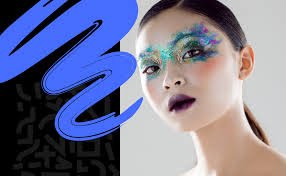
Why Transitions Matter in GRWM Content
GRWM videos are repetitive by nature:
- Apply product
- Cut
- Apply next product
Without transitions, it gets boring fast.
With the right transitions:
- You create flow
- You maintain attention
- You increase retention
The Psychology Behind GRWM Transitions
GRWM works because of:
- Transformation
- Progression
- Satisfaction
Transitions amplify these emotions by:
- Making changes feel instant
- Creating visual rhythm
- Adding micro-surprises
Best Transition Ideas for “Get Ready With Me” (GRWM) Reels
Let’s break down what’s actually working right now.
1. Match Cut Transition (GRWM Classic)
- Same pose → different stage
- Before makeup → after foundation
Why it works:
- Feels seamless
- Highlights transformation
2. Hand Swipe Transition
- Swipe hand across camera
- Cut to next stage
Pro tip:
Match speed and direction.
3. Object Cover Transition
- Use makeup brush, phone, or hand
- Cover lens → cut
This creates a natural transition point.
4. Zoom-In Transition (Keyframing Heavy)
Use keyframing to:
- Zoom into face
- Cut at peak zoom
- Resume motion
This adds energy and focus.
5. Spin Transition
- Slight camera or head spin
- Cut mid-motion
Feels dynamic and trendy.
6. Jump Cut Transformation
- Instant switch between looks
- No transition effect
Raw but powerful.
7. AI Scene Morph (Next-Level)
Using Runway and Sora:
- Blend makeup stages
- Morph facial features
- Create seamless transformation
This is where 2026 editing gets crazy.

Best Tools for GRWM Transition Editing
CapCut
- Easy transitions
- Keyframing tools
- Built-in effects
Runway
- AI transitions
- Scene blending
Sora
- Cinematic transformations
- AI-generated visuals
Premiere Pro / After Effects
- Advanced masking
- Precision control
Comparison Table: Transition Tools
| Tool | Ease of Use | Power | Best For |
|---|---|---|---|
| CapCut | ⭐⭐⭐⭐⭐ | ⭐⭐⭐⭐ | Fast GRWM edits |
| Runway | ⭐⭐⭐⭐ | ⭐⭐⭐⭐⭐ | AI transitions |
| Sora | ⭐⭐⭐ | ⭐⭐⭐⭐⭐ | Cinematic morphs |
| Premiere Pro | ⭐⭐⭐ | ⭐⭐⭐⭐⭐ | Advanced workflows |
Step-by-Step: Creating High-Retention GRWM Transitions
Let’s build a real workflow.
Step 1: Plan Your Sequence
Before filming:
- Decide your stages
- Plan transition points
- Keep movements consistent
Good planning = smooth edits.
Step 2: Record with Intent
While filming:
- Keep camera stable
- Repeat same position
- Use consistent lighting
This makes transitions cleaner.
Step 3: Cut Precisely
Inside CapCut:
- Align clips frame-by-frame
- Match positions
- Remove unnecessary frames
Precision is everything.
Step 4: Add Motion with Keyframing
Use keyframing to:
- Add zoom-ins
- Create motion flow
- Smooth transitions
This is where pro-level editting shows.
Step 5: Sync with Audio
Transitions should hit:
- Beat drops
- Sound effects
- Voice cues
Audio makes transitions feel intentional.
Step 6: Apply Effects (Lightly)
Add:
- Motion blur
- Whoosh sounds
- Subtle transitions
Don’t overdo it.
Step 7: Color Match Everything
Use color grading to:
- Match skin tones
- Fix lighting differences
- Maintain consistency
Nothing breaks immersion faster than mismatched color.
GRWM Transition Settings Checklist
Before exporting:
- Transitions aligned: ✔
- Keyframing smooth: ✔
- Audio synced: ✔
- Lighting consistent: ✔
- Color grading matched: ✔
- No jarring cuts: ✔
- Flow feels natural: ✔
High-Retention GRWM Techniques (2026)
1. Micro Transitions Every Step
Don’t wait for big changes.
Add:
- Small zooms
- Quick cuts
- Subtle movement
2. Invisible Transitions
The best transitions are hidden.
They feel natural—not forced.
3. Speed Ramping
- Speed up application
- Slow down reveal
Creates drama.
4. AI-Assisted Editing
Use Runway to:
- Smooth transitions
- Blend frames
- Improve pacing
Common Mistakes (Avoid These)
Let me save your time:
- Overusing effects
- Ignoring positioning
- Bad lighting consistency
- Not syncing with audio
Also—don’t rely only on presets. Customize everything.
Advanced Workflow: Viral GRWM Editing System
Here’s what top creators are doing:
- Plan transitions before filming
- Record consistent footage
- Cut precisely
- Add keyframing motion
- Sync with audio
- Enhance with AI tools
- Final polish with color grading
This system creates high-retention GRWM content consistently.
Final Thoughts (Creative Mentor Mode)
Look—mastering the best transition ideas for “Get Ready With Me” (GRWM) reels isn’t about flashy edits.
It’s about flow.
Every transition should:
- Guide the viewer
- Highlight transformation
- Increase retention
If your transitions feel smooth, your content feels premium—even if your using just your phone.
And that’s the real advantage in 2026.
Call to Action
Now it’s your turn.
Record a simple GRWM video and apply 2–3 transition techniques from this guide. Focus on timing, consistency, and subtlety.
When you get it right, your content will instantly feel more engaging.
And if you want more pro-level breakdowns, workflows, and insider secrets, check out vfxcut.xyz—the ultimate hub for short-form creators and VFX enthusiasts.
Your next viral GRWM reel isn’t about the products you use.
It’s about how you transition between them.