Look, I’ve spent hours in the editing suite so you don’t have to—and if there’s one technique that quietly dominates retention in 2026, it’s this:
Creating “MrBeast style” subtitles for high retention.
Not basic captions. Not boring text.
We’re talking about dynamic, animated, attention-controlling subtitles that guide the viewer’s eyes, reinforce emotion, and keep people watching till the end.
Here is the real talk about high-retention editing:
If your subtitles are static, your retention drops.
If your subtitles move, react, and feel alive… your content hits different.
This guide breaks down exactly how to create these subtitles using tools like CapCut, Runway, and Sora.
And yeah—this is the exact strategy used by top creators featured on vfxcut.xyz, the ultimate hub for short-form creators and VFX artists.

What Are “MrBeast Style” Subtitles?
These subtitles are not just for accessibility—they are visual storytelling tools.
They:
- Highlight key words
- Use bold animations
- Sync perfectly with speech
- Add emotion and pacing
Instead of showing full sentences, they break dialogue into impactful chunks.
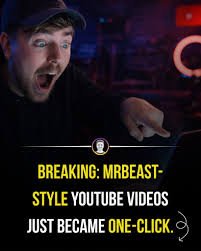
Why These Subtitles Boost Retention
Let’s break it down psychologically:
- They guide eye movement
- They reinforce audio with visuals
- They create rhythm in your edit
- They reduce cognitive load
In short-form content, many viewers watch without sound initially. Subtitles become your second hook.
Core Elements of High-Retention Subtitles
1. Word-by-Word Animation
Instead of static lines:
- Animate each word
- Sync to speech timing
This creates constant motion on screen.
2. Emphasis Styling
Highlight key words:
- Bigger size
- Different color
- Bold font
Example:
“This is CRAZY”
3. Motion & Keyframing
Use keyframing to:
- Scale text
- Add bounce effects
- Create entrance/exit animations
Motion = attention.
4. Sound Sync
Subtitles must match:
- Voice tone
- Beat drops
- Sound effects
Audio + text = retention multiplier.
5. Clean Color Grading Integration
Your subtitles should match your color grading.
Don’t use random colors—build a visual identity.
Best Tools for Creating MrBeast Style Subtitles
CapCut
- Auto captions
- Easy animation presets
- Keyframing tools
- Perfect for fast workflows
Runway
- Advanced text tracking
- AI-assisted animation
- Scene-aware caption placement
Sora
- Experimental text-to-video workflows
- Cinematic subtitle integration
Premiere Pro + After Effects
- Full control
- Advanced motion graphics
- Professional pipelines
Comparison Table: Subtitle Creation Tools
| Tool | Ease of Use | Customization | Best For |
|---|---|---|---|
| CapCut | ⭐⭐⭐⭐⭐ | ⭐⭐⭐⭐ | Fast reels |
| Runway | ⭐⭐⭐⭐ | ⭐⭐⭐⭐⭐ | AI workflows |
| Sora | ⭐⭐⭐ | ⭐⭐⭐⭐⭐ | Experimental |
| After Effects | ⭐⭐ | ⭐⭐⭐⭐⭐ | Pro motion |
Step-by-Step: Creating “MrBeast Style” Subtitles for High Retention
Let’s break this into a real workflow.
Step 1: Generate Auto Captions
Inside CapCut:
- Use auto caption feature
- Generate base subtitles
This saves hours of manual typing.
Step 2: Break Sentences into Chunks
Don’t keep long lines.
Split into:
- 1–3 words per line
- Short, punchy phrases
This improves readability and pacing.
Step 3: Apply Emphasis Styling
Identify key words and:
- Increase size
- Change color
- Add bold effect
This directs attention.
Step 4: Animate with Keyframing
Here’s the secret sauce:
- Add scale-in animation
- Use slight bounce effect
- Sync animation to speech
Without animation, subtitles feel dead.
Step 5: Sync with Audio
Match subtitles to:
- Voice timing
- Beat drops
- Sound effects
Perfect sync = professional feel.
Step 6: Add Motion Tracking (Advanced)
In Runway:
- Track text to subject movement
- Keep subtitles dynamic
This makes your edit feel high-end.
Step 7: Final Polish with Color & Effects
- Match subtitle colors to video palette
- Add shadow or stroke for readability
- Ensure visibility on all backgrounds
Subtitle Settings Checklist
Before exporting:
- Text synced perfectly: ✔
- Key words highlighted: ✔
- Animations smooth: ✔
- Font readable: ✔
- Colors consistent: ✔
- No overcrowding: ✔
- Matches audio tone: ✔
High-Retention Subtitle Techniques (2026)
1. Kinetic Typography
Text moves with energy:
- Bounce
- Slide
- Pop
This keeps visual interest high.
2. Audio-Reactive Subtitles
Subtitles react to:
- Volume
- Beat
- Emotion
This is next-level engagement.
3. Minimal Text Strategy
Less is more.
Show only what matters.
4. AI-Assisted Captioning
Use Runway to:
- Auto-style captions
- Optimize timing
- Enhance readability
Common Mistakes (Avoid These)
Let me save your time:
- Using long sentences
- Over-animating everything
- Ignoring readability
- Poor timing
Also—don’t copy styles blindly. Adapt them to your content.
Advanced Workflow: Viral Subtitle System
Here’s what high-level creators do:
- Generate captions in CapCut
- Refine animation manually
- Enhance with Runway tracking
- Match with sound design + color grading
This system balances speed and quality.
Final Thoughts (Creative Mentor Mode)
Look—creating “MrBeast style” subtitles for high retention isn’t about copying a trend.
It’s about understanding attention.
Every word on screen should:
- Guide the viewer
- Reinforce emotion
- Increase retention
If your subtitles feel alive, your content feels alive.
And in 2026, that’s what wins.
Even if your using simple footage, strong subtitles can carry your entire video.
Call to Action
Now it’s your turn.
Take one of your videos and rebuild the subtitles using this method. Focus on timing, animation, and emphasis.
Once you see the retention difference, you won’t go back.
And if you want more advanced breakdowns, pro workflows, and insider strategies, check out vfxcut.xyz—the ultimate hub for short-form creators and VFX artists.
Your next viral video might not need better footage.
It might just need better subtitles.