Discover the best free alternatives to Premiere Pro for short-form creators with AI tools, pro workflows, and viral editing tips (2026).
Look, I’ve spent hours in the editing suite so you don’t have to… and here’s the truth most beginners don’t want to hear:
You don’t need Premiere Pro to go viral.
In fact, many short-form creators in 2026 are using free tools and outperforming professionals — not because the software is better, but because their editing, pacing, and retention strategy is dialed in.
So if you’re searching for the best free alternatives to Premiere Pro for short-form creators, this guide will show you the tools, workflows, and pro-level tricks that actually work.
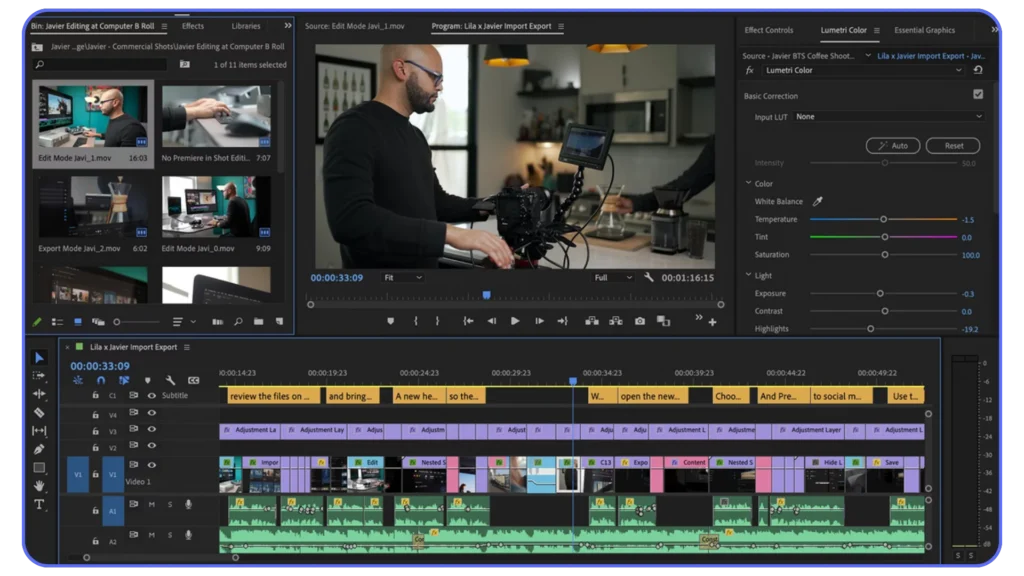
Why Creators Are Moving Away from Premiere Pro
Premiere Pro is powerful — no doubt.
But for short-form content (TikTok, Reels, Shorts), it has some drawbacks:
- Slower workflow for quick edits
- Limited built-in AI tools
- Requires plugins for modern effects
- Paid subscription
Meanwhile, free tools now offer:
- AI auto captions
- One-click effects
- Built-in templates
- Faster mobile workflows
Here is the real talk about high-retention editing:
Speed + creativity > complex software
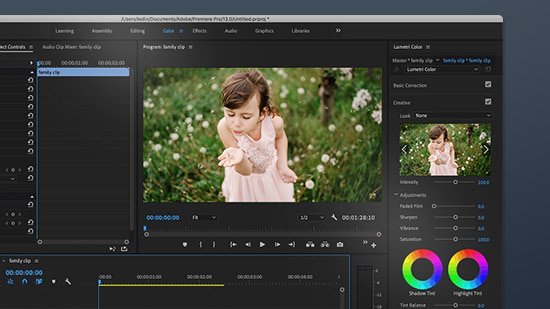
Best Free Alternatives to Premiere Pro for Short-Form Creators
Let’s break down the top tools dominating 2026.
1. CapCut AI (The Viral Editing Machine)
Best for: TikTok, Reels, Shorts
CapCut is the go-to tool for short-form creators.
Key Features:
- Auto captions (high accuracy)
- Beat sync editing
- AI background removal
- Built-in trending effects
- Mobile + desktop workflow
Why It Wins:
CapCut is designed for retention-first editing.
You can:
- Add motion with keyframing
- Create fast-paced cuts
- Optimize for vertical instantly
Downside:
Too much AI can sometimes mess with timing.
2. DaVinci Resolve (The Pro-Level Free Editor)
Best for: Cinematic + high-quality edits
Key Features:
- Advanced color grading
- Pro-level keyframing
- Fusion VFX system
- Audio post-production tools
Why It Wins:
This is the closest free alternative to Premiere Pro.
If your focus is:
- Clean visuals
- Professional storytelling
- Advanced editing
Resolve is unmatched.
Downside:
Heavy software, steeper learning curve.
3. Runway ML (AI-Powered Editing Future)
Best for: AI effects and automation
Key Features:
- AI object removal
- Background generation
- Motion tracking
- Text-to-video tools
Why It Wins:
Runway is redefining editing.
You can:
- Create scenes without filming
- Enhance footage instantly
- Automate complex tasks
Downside:
Not a full traditional editor.
4. VN Video Editor (Underrated Mobile Beast)
Best for: Clean mobile editing
Key Features:
- No watermark
- Smooth timeline
- Keyframe animations
- Multi-layer editing
Why It Wins:
VN gives you manual control without complexity.
Perfect for creators who want:
- Precision
- Speed
- Simplicity
5. Clipchamp (Browser-Based Editing)
Best for: Quick edits on low-end PCs
Key Features:
- Online editing
- Built-in templates
- Stock assets
Why It Wins:
No heavy installation needed.
Downside:
Limited pro features.
Comparison Table (Which Tool Should You Use?)
| Tool | Best For | AI Features | Keyframing | Color Grading | Skill Level |
|---|---|---|---|---|---|
| CapCut AI | Viral short-form | Advanced | Medium | Basic | Beginner |
| DaVinci Resolve | Pro editing | Low | Advanced | Pro-Level | Advanced |
| Runway ML | AI VFX | Very High | Medium | Medium | Medium |
| VN Editor | Mobile control | Low | Medium | Basic | Beginner |
| Clipchamp | Quick edits | Medium | Low | Basic | Beginner |
The Real Secret: Tools Don’t Matter (Workflow Does)
You can use the best software in the world…
But if your:
- Hook is weak
- Pacing is slow
- Retention drops early
You’ll still get 200 views.
So let’s fix that.
Step-by-Step: Build a Viral Workflow Using Free Tools
This is the exact system I recommend.
Step 1: Structure Your Video First
Before editing, plan:
- Hook (first 2 seconds)
- Core value (fast delivery)
- Pattern interrupts (every 2–3 sec)
- Loop ending
Without structure, editing won’t save you.
Step 2: Edit Base Video (DaVinci or VN)
Do:
- Cut dead space
- Sync audio
- Arrange clips
Keep it clean.
This is your foundation.
Step 3: Add Viral Elements (CapCut AI)
Now import into CapCut:
- Add captions
- Apply zoom keyframing
- Insert sound effects
- Use trending templates (lightly)
This is where your content becomes engaging.
Step 4: Enhance with AI (Runway)
Optional but powerful:
- Remove distractions
- Improve background
- Add subtle VFX
Don’t overdo it — subtle edits win.
Step 5: Color Grading & Polish
Fix:
- Contrast
- Saturation
- Skin tones
Even basic color grading improves retention massively.
Step 6: Export Correctly
Settings:
- 1080×1920
- 30fps constant
- H.264 format
Bad export = bad results.
High-Retention Editing Techniques (2026)
If you want your content to perform:
Micro-Movement Editing
- Constant zoom changes
- Slight camera motion
Fast Cuts
- Remove every pause
- Keep energy high
Caption Strategy
- Highlight key words
- Use bold colors
- Animate text
Sound Design
- Add subtle effects
- Sync with cuts
This is what keeps viewers watching.
Common Mistakes (Even Experienced Creators Make)
Let’s be real:
- Using too many effects
- Ignoring storytelling
- Over-relying on AI
- Skipping keyframing
- Bad color grading
And yeah… sometimes your tool isn’t the problem — your approach is.
Final Thoughts (Creative Mentor Mode)
Look, the best free alternatives to Premiere Pro for short-form creators are already here.
You don’t need expensive software.
You need:
- Smart workflow
- Strong editing fundamentals
- Focus on retention
Once you master that, any tool becomes powerful.
Your Next Move
Pick ONE tool from this list and:
- Re-edit an old video
- Improve pacing
- Add keyframing
- Upgrade color grading
Then post it.
Track the difference.
And if you want more pro-level breakdowns, AI workflows, and viral editing strategies, check out vfxcut.xyz — the ultimate hub for short-form creators and VFX artists.
Now stop overthinking software… and start creating content that actually performs 🚀