Look, I’ve spent hours in the editing suite so you don’t have to—and if there’s one thing that’s blowing up short-form content in 2026, it’s AI-powered face swapping. From TikTok skits to cinematic reels, creators are using this technique to create scroll-stopping, high-retention videos without expensive software.
This guide will walk you through how to swap faces in videos using free AI tools 2026, with a deep dive into workflows, pro techniques, and the “secret sauce” behind viral edits.
And yes—this is the exact workflow many creators on vfxcut.xyz are using right now.
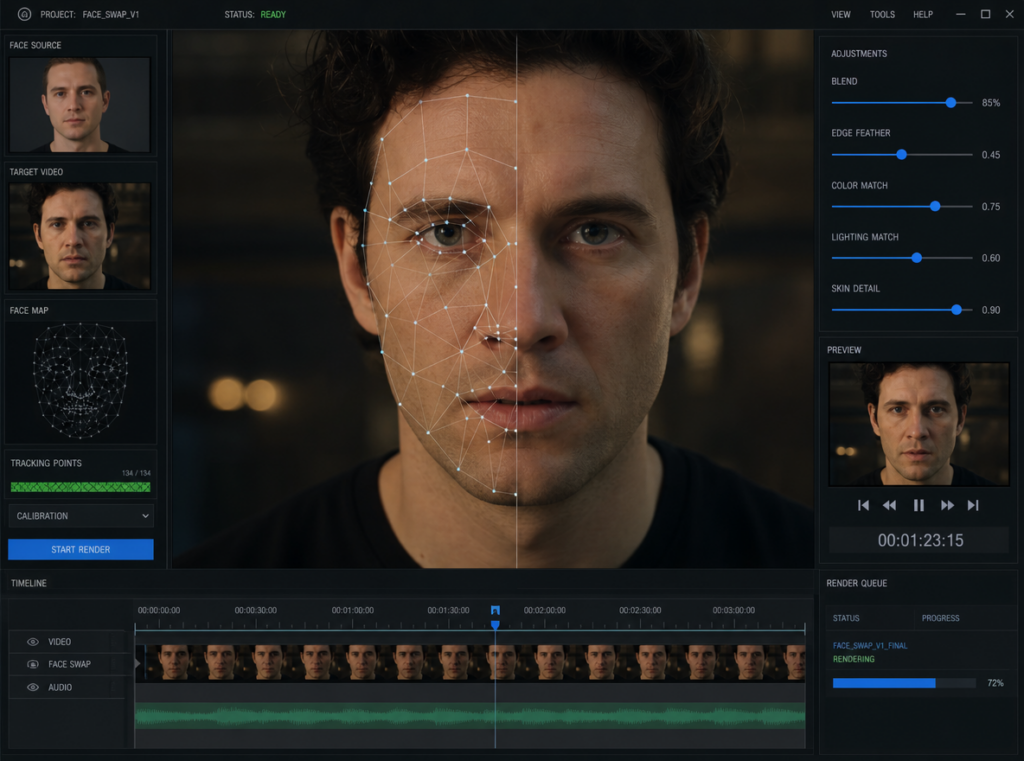
Why Face Swapping Is Dominating Short-Form Content
Here is the real talk about high-retention editing: novelty + realism = watch time.
Face swapping hits both.
- It instantly grabs attention in the first 2 seconds
- Creates curiosity (“Wait… is that real?”)
- Encourages rewatches (boosting retention metrics)
In 2026, AI has reached a point where real-time facial tracking, lighting adaptation, and expression mapping are insanely accurate—even on free tools.
Best Free AI Tools for Face Swapping in 2026
1. CapCut (AI Face Replace)
- Built-in AI face swap templates
- Auto tracking + keyframing support
- Mobile + desktop workflow
- Perfect for beginners and fast edits
2. Runway (Gen-3 Face Tools)
- Advanced masking and motion tracking
- Realistic lighting + shadow blending
- Cloud-based processing
- Ideal for semi-pro creators
3. Sora (Experimental Workflows)
- High-end AI video generation
- Face swapping via prompt + reference images
- Best for cinematic content
4. DeepFaceLab (Free but technical)
- Open-source
- Maximum control over training models
- Requires GPU + patience
Comparison Table: Best Free Face Swap Tools
| Tool | Ease of Use | Realism | Speed | Best For |
|---|---|---|---|---|
| CapCut AI | ⭐⭐⭐⭐⭐ | ⭐⭐⭐⭐ | Fast | TikTok/Reels |
| Runway | ⭐⭐⭐⭐ | ⭐⭐⭐⭐⭐ | Medium | Cinematic edits |
| Sora | ⭐⭐⭐ | ⭐⭐⭐⭐⭐ | Slow | Advanced creators |
| DeepFaceLab | ⭐ | ⭐⭐⭐⭐⭐ | Very Slow | Pro VFX artists |
Gear & Footage Requirements (Don’t Skip This)
You don’t need expensive gear, but you do need clean input.
Footage Checklist:
- Stable camera (avoid shaky footage)
- Clear face visibility (no heavy shadows)
- Neutral lighting (important for color grading later)
- 1080p minimum resolution
Face Image Requirements:
- Front-facing
- High resolution
- Similar angle to source footage
If your input is bad, no AI will save it. That’s just facts.
Step-by-Step: How to Swap Faces in Videos Using Free AI Tools 2026
Let’s break this down using CapCut AI + Runway combo workflow (the sweet spot for most creators).
Step 1: Import Footage into CapCut
- Open CapCut
- Create new project
- Import your base video
Make sure the subject’s face is clearly visible throughout the clip.
Step 2: Apply AI Face Swap Template
- Go to “AI Tools”
- Select Face Replace / Face Swap
- Upload your target face
CapCut will automatically:
- Detect facial landmarks
- Apply motion tracking
- Sync expressions
This is where beginners stop—but we’re not beginners.
Step 3: Refine with Keyframing (Pro Move)
Here’s the secret sauce:
- Add manual keyframes to adjust alignment
- Fix drifting edges during movement
- Match head tilt and rotation
Most viral edits fail here because people skip this proccess.
Step 4: Export and Move to Runway
Export your clip and upload it to Runway for advanced polishing.
In Runway:
- Use masking tools to isolate face
- Apply lighting correction AI
- Adjust shadow blending
This step takes your edit from “cool” to “wait… that looks real.”
Step 5: Color Grading for Seamless Blend
Color grading is non-negotiable.
Match:
- Skin tones
- Contrast levels
- Highlights and shadows
Pro tip: Use LUTs or manual curves to unify the entire frame.
Step 6: Add Motion Blur & Grain
Real footage isn’t perfect—so your edit shouldn’t be either.
Add:
- Subtle motion blur
- Film grain
- Slight noise
This hides imperfections and boosts realism.
Settings Checklist (Copy This)
Use this as your go-to checklist before exporting:
- Face alignment: ✔
- Keyframing adjusted: ✔
- Skin tone matched: ✔
- Lighting consistent: ✔
- Motion blur added: ✔
- Grain/noise applied: ✔
- Export at 1080p or higher: ✔
High-Retention Editing Tricks (2026 Strategy)
If you want your face swap videos to actually perform, not just look cool:
1. Hook in First 2 Seconds
Start with:
- A shocking reveal
- A familiar face in an unexpected context
2. Use Fast Cuts
- Keep clips under 3 seconds
- Maintain visual momentum
3. Add Sound Design
- Whoosh transitions
- Impact hits
- Subtle ambient layers
4. Loop Your Video
Create seamless loops to increase watch time.
Common Mistakes (Avoid These)
Let me save you hours of frustration:
- Ignoring lighting mismatch → kills realism instantly
- Over-smoothing faces → looks fake
- Skipping keyframing → causes face drift
- Using low-res images → blurry output
Also, don’t rely 100% on AI. The best results always come from manual tweaks + AI automation.
Advanced Workflow: Sora-Based Face Swapping
For those pushing cinematic edits:
- Use Sora to generate base scene
- Input reference face
- Guide output using prompts
Example:
“Generate a cinematic close-up with subject resembling [face reference], natural lighting, 4K realism”
This is still evolving, but it’s the future of AI editting.
Final Thoughts (Creative Mentor Mode)
Look—face swapping isn’t just a gimmick anymore. In 2026, it’s a core storytelling tool.
The creators winning right now aren’t just using AI—they’re combining it with editing fundamentals like timing, color grading, and retention strategy.
If you master this workflow, your content won’t just look better… it’ll perform better.
And that’s the real goal.
Call to Action
Now it’s your turn.
Try this workflow, experiment with different faces, and push your creativity. When you get a clean result, share it—and if you want more deep-dive tutorials like this, head over to vfxcut.xyz, the ultimate hub for short-form creators and VFX artists.
Your next viral edit is one timeline away.