Look, I’ve spent hours in the editing suite so you don’t have to—and if there’s one shift that’s completely changing short-form content in 2026, it’s this:
How to automate short-form video editing with AI agents.
We’re no longer just editing videos. We’re building systems that edit for us.
If you’re still manually cutting clips, adding captions, doing keyframing, color grading, and sound design one-by-one… your already behind.
This guide will show you how to automate your entire workflow using tools like CapCut, Runway, and Sora—while still keeping that high-retention, viral editing style.
And yeah, this is exactly the kind of advanced workflow creators on vfxcut.xyz are using to scale to 10–50 videos per day.
What Are AI Agents in Video Editing?
AI agents are not just tools—they’re automated systems that make decisions.
Instead of:
- You cutting clips manually
- You adding subtitles
- You choosing transitions
AI agents can:
- Detect highlights automatically
- Apply captions and effects
- Adjust timing for retention
- Even handle color grading
Think of it like having a junior editor working 24/7.

Why Automation Is the New Competitive Edge
Here is the real talk about high-retention editing:
Speed = opportunity.
The more content you publish:
- The higher your chances of going viral
- The faster you learn what works
- The better your retention strategies become
AI automation lets you:
- Scale output without burnout
- Maintain consistent quality
- Focus on creative direction instead of repetitive tasks
Best AI Tools for Automating Short-Form Editing
CapCut (Auto Cut + AI Captions)
- Auto highlight detection
- AI-generated captions
- Templates for viral edits
- One-click export formats
Best for: Fast, mobile-first workflows
Runway (AI Timeline Automation)
- Smart scene detection
- Automated masking + object tracking
- AI color grading tools
- Cloud-based workflows
Best for: Semi-pro automation
Sora (Content Generation + Editing)
- Generate entire clips
- Modify scenes via prompts
- Combine editing + creation
Best for: Advanced creators
Descript (AI Editing via Text)
- Edit video by editing transcript
- Remove filler words automatically
- Auto jump cuts
Comparison Table: Automation Tools in 2026
| Tool | Automation Level | Ease of Use | Speed | Best For |
|---|---|---|---|---|
| CapCut AI | ⭐⭐⭐⭐⭐ | ⭐⭐⭐⭐⭐ | Fast | Social content |
| Runway | ⭐⭐⭐⭐ | ⭐⭐⭐⭐ | Medium | Pro edits |
| Sora | ⭐⭐⭐⭐⭐ | ⭐⭐⭐ | Slow | Cinematic |
| Descript | ⭐⭐⭐⭐ | ⭐⭐⭐⭐⭐ | Fast | Talking videos |
The AI Automation Workflow (Big Picture)
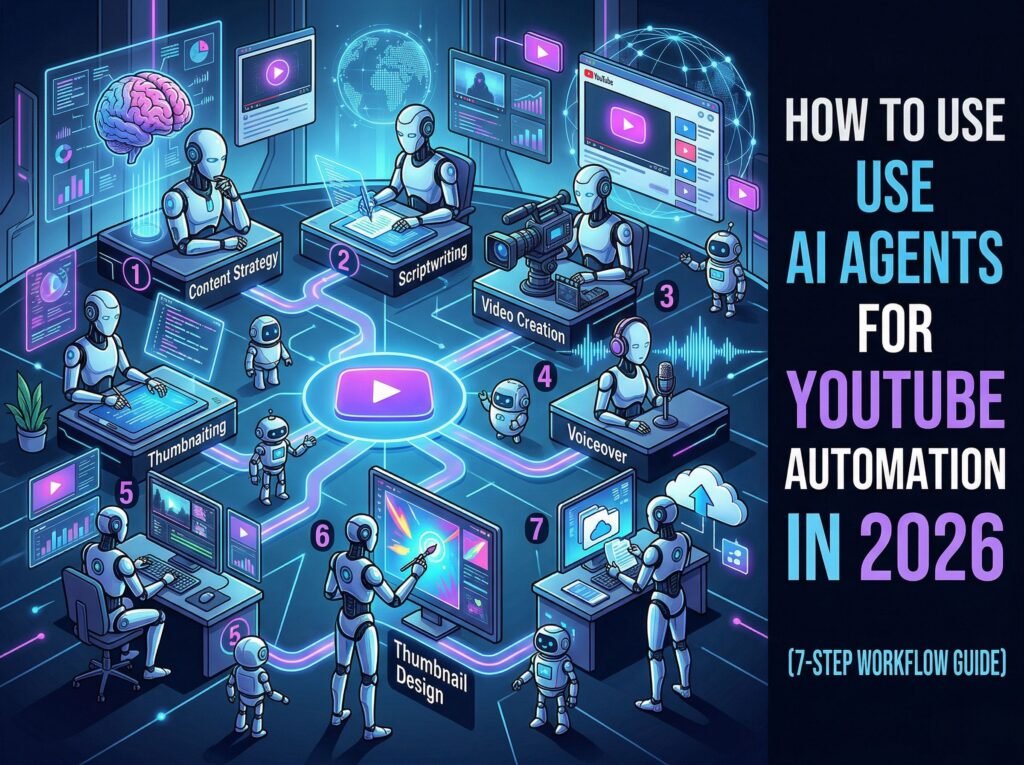
Before we go step-by-step, understand this pipeline:
- Input footage
- AI selects highlights
- AI cuts and trims
- AI adds captions + effects
- You refine (keyframing, color grading)
- Export + publish
Notice something?
You’re not removed—you’re elevated.
Step-by-Step: How to Automate Short-Form Video Editing with AI Agents
Let’s break this down into a real-world workflow you can start using today.
Step 1: Feed Raw Footage into CapCut AI
- Import long-form content
- Use Auto Cut feature
CapCut will:
- Detect engaging moments
- Remove dead space
- Create short clips
This alone can save hours of editting time.
Step 2: Generate AI Captions Automatically
Captions = retention boost.
In CapCut:
- Enable Auto Captions
- Choose dynamic subtitle styles
Pro tip:
Use bold keywords and animated text to keep attention.
Step 3: Use AI Templates for Structure
Instead of building edits from scratch:
- Apply viral templates
- Let AI handle transitions and pacing
Templates are trained on high-performing content—use them.
Step 4: Move to Runway for Advanced Automation
Upload your clip to Runway and:
- Use scene detection AI
- Apply automated tracking
- Enhance visuals using AI color grading
Runway is where your edit goes from “good” to “polished.”
Step 5: Fine-Tune with Manual Keyframing
Here’s the truth most people ignore:
AI gets you 80% there.
The final 20%—that’s where viral edits are made.
- Adjust zooms with keyframing
- Refine timing for punchlines
- Sync cuts to audio beats
This step is small but powerful.
Step 6: Export and Optimize for Platforms
- Export in vertical (9:16)
- Keep duration under 30–60 seconds
- Optimize bitrate for platform
Different platforms, same principle: clarity + speed.
Automation Settings Checklist
Before hitting export, run this:
- Auto cuts reviewed: ✔
- Captions styled properly: ✔
- Keyframing refined: ✔
- Color grading consistent: ✔
- Audio synced: ✔
- Hook within 2 seconds: ✔
- Loopable ending: ✔
High-Retention Automation Strategies
Automation is useless if your content doesn’t perform.
1. Hook Optimization
Train your AI workflow by:
- Always placing strongest moment first
- Cutting slow intros
2. Pattern Interrupts
Use:
- Zoom-ins
- Sound effects
- Text pop-ups
Even AI agents can be guided to apply these.
3. Loop Engineering
Make your ending connect to your beginning.
This increases watch time like crazy.
4. Batch Production
Don’t edit one video.
Edit 10–20 at once using AI workflows.
This is how creators scale.
Common Mistakes (Don’t Do This)
Let me be blunt:
- Over-automating everything → robotic content
- Ignoring storytelling → no retention
- Skipping manual refinement → low quality
- Using default captions → boring visuals
Also, don’t trust AI blindly. It’s a tool—not your creative brain.
Advanced Workflow: AI Agent Chains
Now we’re getting serious.
You can chain AI tools like this:
- CapCut → Auto cuts + captions
- Runway → Visual enhancement
- Sora → Scene generation or replacement
- Final polish → Manual keyframing + grading
This creates a semi-automated editing pipeline.
Some creators are even integrating APIs to fully automate this proccess.
Final Thoughts (Creative Mentor Mode)
Look—learning how to automate short-form video editing with AI agents is no longer optional.
It’s the difference between:
- Posting occasionally
- And dominating your niche
But here’s the truth most won’t tell you:
Automation doesn’t replace creativity. It amplifies it.
If your ideas are weak, automation won’t save you. But if your ideas are strong? You’ll scale faster than ever.
And that’s the game in 2026.
Call to Action
Now it’s your move.
Start building your AI editing workflow today. Test it, refine it, and push it until your creating content faster than you ever thought possible.
And if you want more pro-level strategies, workflows, and insider techniques, head over to vfxcut.xyz—the ultimate hub for short-form creators and VFX artists.
Your next viral system isn’t just about editing. It’s about automation.