Modern short-form platforms like TikTok, Instagram Reels, and YouTube Shorts are heavily driven by silent-view behavior.
Over 70% of users watch videos without sound first.
That means:
- No captions = instant scroll away
- Clear captions = higher watch time
- Styled captions = stronger engagement loop
Captions now function as:
- Visual storytelling layer
- Attention retention tool
- Accessibility feature
- Algorithm signal booster
In simple terms: captions directly increase your reach.
Tools Used for Auto Captions in 2026 Workflow
Professional editors now rely on AI-powered transcription systems.
Here’s the standard stack:
- CapCut PC → Main auto-caption engine (free AI transcription)
- Runway ML → Advanced AI enhancement for subtitles + visuals
- Sora → AI cinematic context generation for captions + scenes
- Adobe Premiere Pro → High-end manual subtitle styling and motion design
But for most creators, CapCut PC is the fastest and easiest solution.
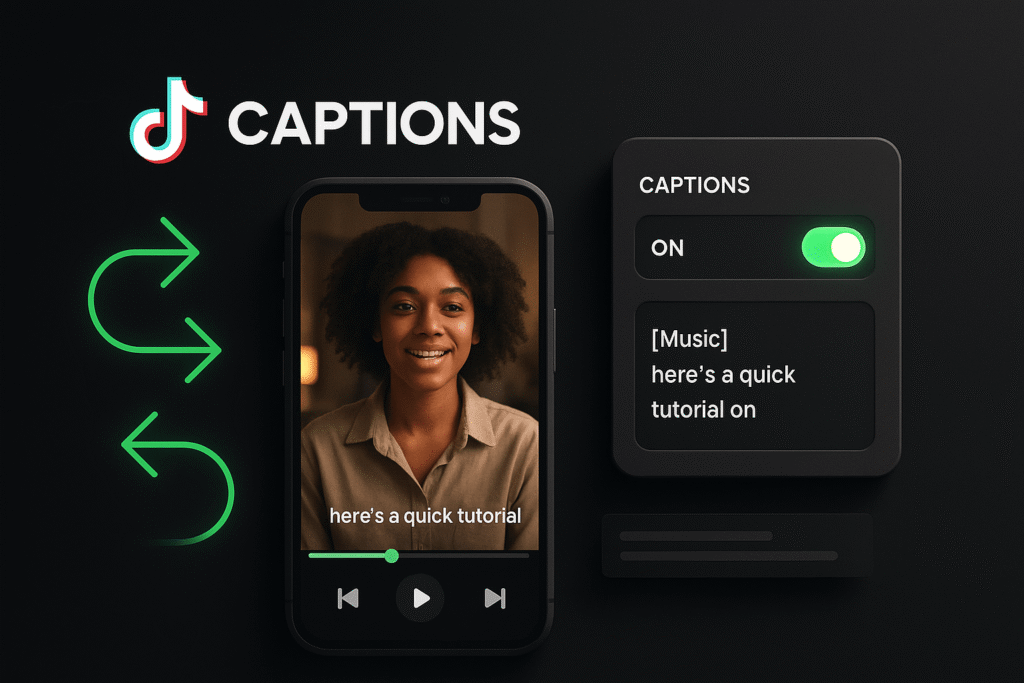
CapCut PC vs Premiere Pro (Auto Captions Comparison)
| Feature | CapCut PC | Premiere Pro |
|---|---|---|
| Auto Captions | Built-in free AI | Requires transcription tools |
| Speed | Instant processing | Slower workflow |
| Accuracy | High (2026 AI upgrade) | Very high (manual refinement) |
| Styling Options | Good preset styles | Fully customizable |
| Beginner Friendly | Extremely easy | Professional level |
If your goal is fast viral content, CapCut wins again.
How to Add Auto Captions in CapCut PC for Free (Step-by-Step Guide)
Now let’s go through the actual workflow like a professional editor would.
Step 1: Import Your Video
Open CapCut PC and import your footage.
Best practice checklist:
- Clear audio quality
- Minimal background noise
- Clean speech (important for AI accuracy)
- High resolution video (1080p or above)
Here is the real talk about high-retention editing: bad audio = bad captions.
AI can only transcribe what it can understand.
Step 2: Navigate to Auto Captions Tool
Go to:
Text → Auto Captions → Generate
CapCut will:
- Analyze audio track
- Convert speech to text using AI
- Sync captions automatically with timeline
This is powered by modern speech recognition models trained for multilingual short-form content.
Step 3: Choose Language Settings
Set correct language before generating captions.
Why this matters:
- Improves accuracy by up to 40%
- Reduces mis-transcriptions
- Improves timing alignment
For example:
- English (US/UK)
- Urdu, Hindi, Arabic, etc. depending on content
Incorrect language selection = messy captions proccess.
Step 4: Generate and Review Captions
Once generated, CapCut will automatically place captions on your timeline.
Now review:
- Grammar errors
- Misheard words
- Timing mismatches
Even AI in 2026 is not perfect, especially with slang or fast speech.
Step 5: Style Your Captions for Retention
This is where viral editing begins.
Instead of default captions, upgrade them:
Recommended styling:
- Bold font (for readability)
- High contrast colors
- Highlighted keywords
- Animated entry effects
Pro tip: captions should guide the eye, not distract it.
Step 6: Add Motion to Captions (Advanced Trick)
Static captions are outdated.
In CapCut, you can:
- Animate text pop-ins
- Add bounce effects
- Sync captions with beats
- Use kinetic typography styles
This creates a “scroll-stopping” effect that increases watch time.
Step 7: Sync Captions with Keyframes
Now combine captions with motion editing.
Use keyframes to:
- Slightly zoom captions with speech
- Move captions with subject movement
- Emphasize emotional words
This is where editing becomes storytelling.
If you want to master this deeper, keyframing and caption timing go hand-in-hand.
Step 8: AI Enhancement Layer (2026 Upgrade System)
Modern CapCut PC now includes AI upgrades such as:
- Smart punctuation correction
- Auto keyword highlighting
- Speaker detection
- Timing optimization
When combined with tools like Runway ML, captions can even be matched with visual scene changes.
Pro Caption Settings Checklist (2026 Standard)
Before exporting your video:
- ✔ Captions synced properly
- ✔ No spelling errors
- ✔ Font size readable on mobile
- ✔ Contrast high enough for visibility
- ✔ Key words highlighted
- ✔ No overlapping text blocks
- ✔ Timing aligned with speech rhythm
Common Mistakes Beginners Make
Mistake 1: Using Default Caption Style
Default captions reduce engagement instantly.
Mistake 2: Ignoring Timing Errors
Even 0.3 second delay can feel unnatural.
Mistake 3: Poor Contrast Design
If viewers can’t read captions, they scroll away.
Mistake 4: Overcrowded Text
Too many words per line reduces readability.
Even small errors affect retention significantly.
Why Auto Captions Are Critical in 2026
AI-driven content platforms now analyze:
- Watch time
- Replay rate
- Caption engagement
- Silent viewing behavior
Captions improve all four metrics simultaneously.
That’s why every viral creator now uses auto subtitles as a default workflow.
Where vfxcut.xyz Comes In
At vfxcut.xyz, we break down real-world editing systems used by viral creators—not theory, but actual production workflows.
You’ll learn:
- AI editing systems for retention
- Caption styling for viral growth
- Keyframing + text animation systems
- Short-form storytelling structures
This is where beginners turn into professional editors.
Final Thoughts
Learning how to add auto captions in CapCut PC for free is not just about subtitles—it’s about controlling viewer attention.
Captions guide emotion, timing, and retention.
But here’s the truth most creators miss:
The AI doesn’t make your video viral. The way you use it does.
If you combine captions with motion, timing, and storytelling, even simple clips can become high-performing content.
CTA
Try this workflow in your next edit. Experiment with caption styles, test different animations, and analyze how your retention changes.
Then explore more advanced editing systems, AI workflows, and viral content strategies on vfxcut.xyz, your ultimate hub for short-form creators and VFX enthusiasts.
Now go turn your words into visuals that people actually stop and read.