Look, I’ve spent hours in the editing suite so you don’t have to—and if there’s one skill that instantly makes your videos feel professional, it’s this:
How to sync video cuts to the beat of trending music.
Not random cuts. Not guesswork.
Precise, intentional timing that locks your visuals to the rhythm.
Here is the real talk about high-retention editing:
If your cuts don’t match the beat, your video feels off—even if viewers don’t consciously realize it.
In 2026, with tools like CapCut, Runway, and Sora, syncing cuts has become faster—but the creative decision-making? That’s still where pros stand out.
And yeah—this is exactly what creators on vfxcut.xyz use to boost retention and create scroll-stopping edits.
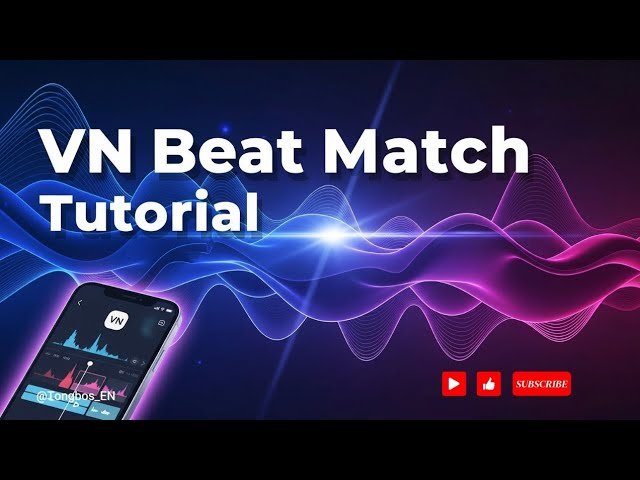
Why Beat Syncing Increases Watch Time
Let’s break it down simply:
Humans are wired to respond to rhythm.
When your cuts match the beat:
- Your video feels satisfying
- Your pacing feels intentional
- Your retention increases
When they don’t:
- It feels awkward
- Viewers lose interest
- Watch time drops
Beat syncing creates a flow state that keeps viewers watching.
Understanding Music Structure (This Is Key)
Before you even touch the timeline, understand this:
Music is structured in:
- Beats
- Bars (usually 4 beats)
- Drops (energy peaks)
Your job is to align visuals with these elements.
Types of Beats You Should Use
- Kick (low bass hit) → Strong cuts
- Snare (sharp hit) → Quick transitions
- Hi-hats (fast ticks) → Micro edits
Not all beats are equal. Choose wisely.
Best Tools for Beat Sync Editing (2026)
CapCut
- Auto beat detection
- Marker placement
- Easy keyframing
- Perfect for fast edits
Runway
- AI-assisted timing
- Smart scene syncing
- Advanced rhythm detection
Sora
- Generates beat-matched visuals
- Experimental audio-visual sync
Premiere Pro / After Effects
- Manual precision
- Full control over timing
- Advanced workflows
Comparison Table: Beat Sync Tools
| Tool | Ease of Use | Precision | Best For |
|---|---|---|---|
| CapCut | ⭐⭐⭐⭐⭐ | ⭐⭐⭐⭐ | Quick edits |
| Runway | ⭐⭐⭐⭐ | ⭐⭐⭐⭐⭐ | AI workflows |
| Sora | ⭐⭐⭐ | ⭐⭐⭐⭐⭐ | Cinematic |
| Premiere Pro | ⭐⭐⭐ | ⭐⭐⭐⭐⭐ | Pro control |
Step-by-Step: How to Sync Video Cuts to the Beat of Trending Music
Let’s build a real workflow you can follow today.
Step 1: Import and Analyze Your Music
Inside CapCut:
- Add your audio track
- Listen fully before editing
- Identify key moments
Don’t skip this. This is where most beginners mess up.
Step 2: Add Beat Markers
Use:
- Auto beat detection (CapCut)
or - Manually tap markers
Mark:
- Every major beat
- Drops
- Transitions in the music
These markers are your blueprint.
Step 3: Rough Cut Your Clips
Now:
- Place clips along markers
- Match cuts to beats
- Focus on structure first
Don’t worry about perfection yet.
Step 4: Refine with Micro Timing
Here’s where pros stand out.
Adjust cuts:
- Frame-by-frame
- Slightly before or after beat
Yes, sometimes off-beat timing feels better depending on energy.
Step 5: Add Motion with Keyframing
Use keyframing to:
- Add zoom-ins on beats
- Create motion transitions
- Emphasize important moments
This enhances rhythm visually.
Step 6: Layer Sound Effects
Add:
- Whooshes
- Impacts
- Bass hits
These reinforce the beat and increase immersion.
Step 7: Polish with Color and Flow
Use color grading to:
- Match clips
- Maintain visual consistency
- Enhance mood
Even perfect timing won’t save bad visuals.
Beat Sync Settings Checklist
Before exporting:
- Cuts aligned with beats: ✔
- Markers placed correctly: ✔
- Keyframing synced: ✔
- Audio balanced: ✔
- No awkward cuts: ✔
- Flow feels natural: ✔
- Loop works smoothly: ✔
High-Retention Beat Sync Techniques (2026)
1. Beat Drop Moments
Save your best visuals for the drop.
This creates:
- Impact
- Surprise
- Engagement spikes
2. Double-Time Editing
During fast sections:
- Add more cuts
- Increase pacing
This keeps energy high.
3. Slow Build Sections
During calm parts:
- Use fewer cuts
- Focus on storytelling
Contrast = retention.
4. AI Beat Matching
Use Runway to:
- Auto-align visuals
- Improve timing
Common Mistakes (Avoid These)
Let me save your time:
- Cutting randomly without markers
- Over-editing every beat
- Ignoring music structure
- Not refining timing
Also—don’t trust auto-sync blindly. Always tweak manually.
Advanced Workflow: Viral Beat Editing System
Here’s what high-level creators do:
- Analyze music deeply
- Place manual beat markers
- Rough cut clips
- Refine timing frame-by-frame
- Add keyframing and effects
- Enhance with AI tools
This system creates high-retention edits consistently.
Final Thoughts (Creative Mentor Mode)
Look—mastering how to sync video cuts to the beat of trending music is one of the fastest ways to level up your content.
It’s not about fancy effects.
It’s about rhythm.
Every cut should:
- Feel intentional
- Match energy
- Increase retention
If your timing is on point, your content feels addictive—even if your visuals are simple.
That’s the secret.
Call to Action
Now it’s your turn.
Take a trending audio track and re-edit one of your videos using beat syncing. Focus on timing, flow, and subtle adjustments.
When you nail it, you’ll feel it instantly.
And if you want more pro-level editing breakdowns, workflows, and insider techniques, check out vfxcut.xyz—the ultimate hub for short-form creators and VFX artists.
Your next viral edit isn’t about better clips.
It’s about better timing.