Look, I’ve spent years cleaning up messy audio in post-production so you don’t have to—and here’s the uncomfortable truth most creators ignore:
Your video can look cinematic, but if your voiceover sounds cheap, the whole thing feels amateur.
In 2026, short-form platforms like TikTok, Instagram Reels, and YouTube Shorts are prioritizing one thing more than ever:
👉 Clear, emotionally engaging voiceovers.
That’s why mastering how to record and edit high-quality voiceovers on a phone is now a core skill for creators.
And here’s the real talk about high-retention editing:
Viewers don’t just watch content—they listen first. If your audio hooks them in the first 2 seconds, your retention skyrockets.
Creators on vfxcut.xyz are already using mobile-first workflows combined with AI tools like CapCut, Runway, and Sora to produce studio-level voiceovers directly from their phones.
Let’s break it down like a pro sound engineer would.
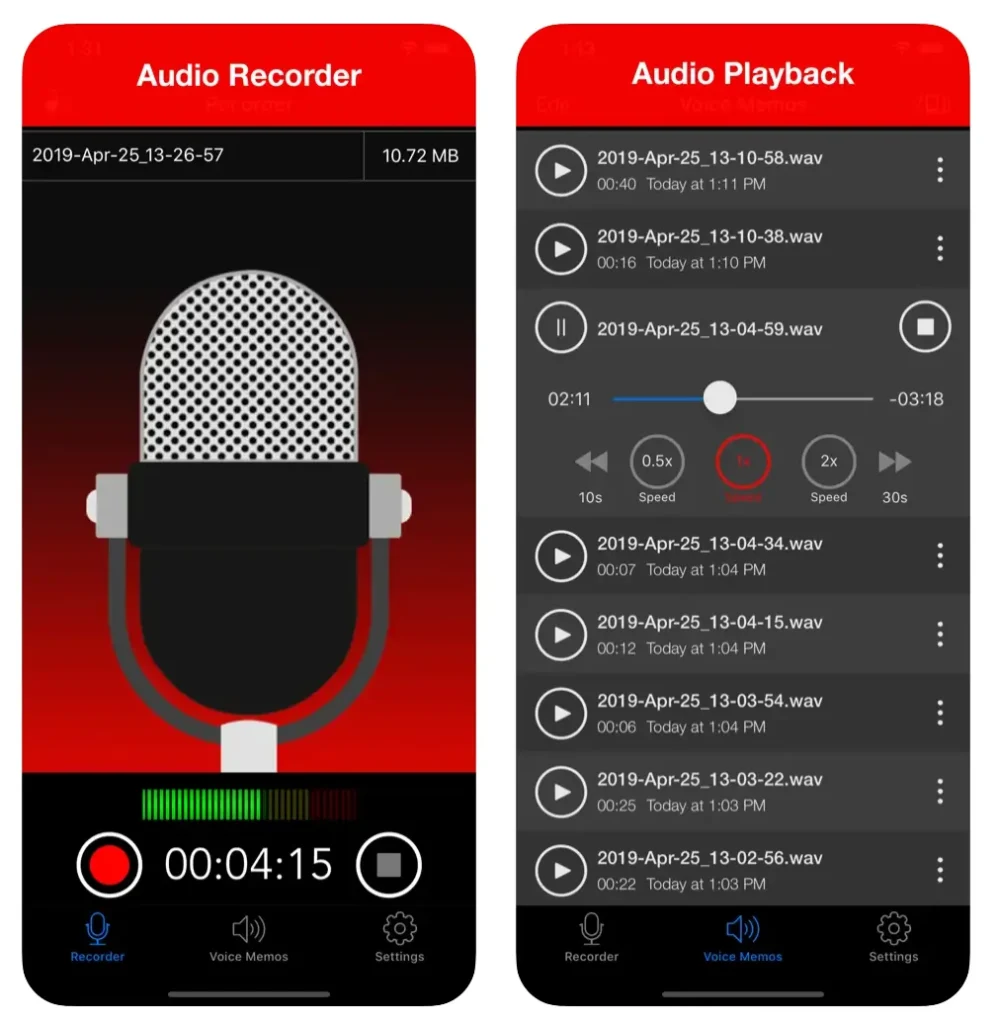
Why Voiceovers Matter More Than Ever in 2026
Voiceovers are no longer just narration.
They are:
- Emotional direction
- Story pacing
- Viewer retention control
A strong voiceover can:
- Hold attention without visuals
- Guide emotional response
- Increase watch time significantly
Bad voiceover = instant scroll.
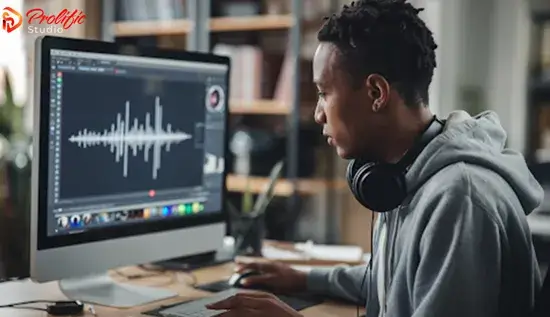
The Psychology of High-Retention Voiceovers
A great voiceover works because of:
- Tone variation
- Strategic pauses
- Emotional pacing
- Clarity and texture
Your voice is not just sound—it’s storytelling.
Best Tools for Mobile Voiceover Recording (2026)
CapCut
- Built-in voice recorder
- Noise reduction tools
- Auto-sync with video
Runway
- AI voice cleanup
- Audio enhancement
- Background noise removal
Sora
- AI-generated narration
- Synthetic voice enhancement
Native Phone Recorder (iOS/Android)
- Best raw capture quality
- Zero compression editing
Comparison Table: Voiceover Tools
| Tool | Audio Quality | AI Enhancement | Best For |
|---|---|---|---|
| CapCut | ⭐⭐⭐⭐ | ⭐⭐⭐⭐ | Fast editing |
| Runway | ⭐⭐⭐⭐ | ⭐⭐⭐⭐⭐ | AI cleanup |
| Sora | ⭐⭐⭐ | ⭐⭐⭐⭐⭐ | Synthetic voice |
| Phone Recorder | ⭐⭐⭐⭐⭐ | ⭐⭐ | Raw recording |
Step-by-Step: How to Record High-Quality Voiceovers on a Phone
Let’s build a professional workflow.
Step 1: Control Your Recording Environment
Before you even hit record:
- Choose a quiet room
- Avoid echo-heavy spaces
- Turn off fans or background noise
Pro tip: Closet spaces work surprisingly well.
Step 2: Use Proper Mic Positioning
Your phone mic should be:
- 6–10 inches from your mouth
- Slightly off-axis (not directly in front)
This reduces harsh plosives.
Step 3: Speak with Intent (Not Just Words)
Here is where most creators fail.
Don’t just talk—perform:
- Emphasize key words
- Add pauses
- Control pacing
Think of it like storytelling, not reading.
Step 4: Record Multiple Takes
Never settle for one take.
Record:
- Fast version
- Slow version
- Emotional version
You can always edit later.
Step 5: Clean Audio in CapCut
Inside CapCut:
- Apply noise reduction
- Normalize volume
- Remove background hiss
This is your first cleanup stage.
Step 6: AI Audio Enhancement
Use Runway to:
- Remove echo
- Enhance clarity
- Balance frequencies
This is where audio becomes studio-grade.
Step 7: Sync Voiceover with Visuals
Your voice must match:
- Cuts
- Motion
- Transitions
Bad sync = broken immersion.
Step 8: Add Emotional Sound Design
Enhance storytelling with:
- Background ambience
- Subtle music
- Sound effects (whooshes, clicks)
This increases retention dramatically.
Voiceover Editing Checklist (Mobile Workflow)
Before exporting:
- No background noise: ✔
- Consistent volume levels: ✔
- Clear articulation: ✔
- Emotional pacing correct: ✔
- Sync with visuals: ✔
- Clean pauses included: ✔
Best Techniques for Viral Voiceovers (2026)
1. Hook in First 2 Seconds
Start strong:
- Question
- Bold statement
- Emotional trigger
Example:
“You’re editing your videos wrong—and it’s killing your views.”
2. Micro-Pauses for Retention
Silence is powerful.
Use pauses to:
- Build tension
- Highlight key points
3. Dynamic Tone Shifts
Avoid monotone speech:
- Slow → fast
- Calm → intense
This keeps viewers engaged.
4. Layered Audio Editing
Combine:
- Voiceover
- Background music
- Subtle effects
This creates depth.
5. AI Voice Enhancement
Use Runway to:
- Smooth inconsistencies
- Enhance clarity
- Fix imperfections
Common Mistakes (Avoid These)
Let me save your time:
- Recording in noisy environments
- Speaking too fast or monotone
- Ignoring audio sync
- Over-processing with effects
Also—don’t try to fix bad recording with heavy filters. Fix it at the source.
Advanced Workflow: Pro Mobile Voiceover System
Here’s how professionals do it:
- Record multiple takes on phone
- Select best performance
- Clean audio in CapCut
- Enhance with AI tools
- Sync with visuals
- Add sound design layer
- Final polish with compression
This workflow makes mobile audio sound studio-grade.
Final Thoughts (Creative Mentor Mode)
Look—mastering how to record and edit high-quality voiceovers on a phone isn’t about having expensive gear.
It’s about:
- Clarity
- Emotion
- Control
If your voice sounds confident and clean, your entire video feels premium—even if it’s shot on a phone in your room.
And that’s the real advantage in 2026.
Even if your setup is basic, your storytelling can still sound professional.
Call to Action
Now it’s your turn.
Record a simple voiceover on your phone and apply these editing techniques. Focus on clarity, pacing, and emotional delivery.
When done right, your content will instantly feel more engaging and professional.
And if you want more pro-level audio workflows, editing breakdowns, and AI-powered content strategies, check out vfxcut.xyz—the ultimate hub for short-form creators and VFX enthusiasts.
Your next viral video doesn’t start with visuals.
It starts with your voice.