Look, I’ve spent hours in the editing suite so you don’t have to—and if there’s one niche exploding in 2026, it’s this:
Minecraft shorts.
But here’s the problem most creators face:
Their gameplay might be interesting… but their editing? Flat, slow, and easy to scroll past.
That’s why mastering how to edit high-quality Minecraft shorts on mobile is the real advantage.
Here is the real talk about high-retention editing:
Minecraft content isn’t about gameplay anymore—it’s about pacing, storytelling, and visual energy.
With tools like CapCut, Runway, and Sora, you can now create insane edits directly from your phone.
And yeah—this is exactly what creators on vfxcut.xyz are doing to dominate short-form gaming content.
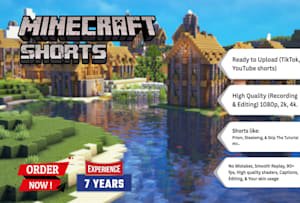
Why Minecraft Shorts Go Viral in 2026
Minecraft is perfect for short-form because:
- Endless creativity
- Fast-paced moments
- Clear visual goals (builds, survival, challenges)
But here’s the catch:
Without editing, it’s boring.
With the right editing:
- You create tension
- You guide attention
- You boost retention
Core Elements of High-Quality Minecraft Shorts
To stand out, your video needs:
- Fast pacing
- Clean cuts
- Engaging sound design
- Smooth transitions
- Strong hook in first 2–3 seconds
And most importantly:
Constant visual change.

Best Mobile Tools for Minecraft Editing (2026)
CapCut
- Easy timeline editing
- Built-in effects
- Powerful keyframing
- Perfect for mobile creators
Runway
- AI scene detection
- Background enhancement
- Motion smoothing
Sora
- Cinematic scene generation
- Advanced storytelling visuals
Minecraft Recording Tools
- Screen recorder (built-in or third-party)
- High FPS recording (60fps recommended)
Comparison Table: Mobile Editing Tools
| Tool | Ease of Use | Power | Best For |
|---|---|---|---|
| CapCut | ⭐⭐⭐⭐⭐ | ⭐⭐⭐⭐ | Full mobile editing |
| Runway | ⭐⭐⭐⭐ | ⭐⭐⭐⭐⭐ | AI enhancement |
| Sora | ⭐⭐⭐ | ⭐⭐⭐⭐⭐ | Cinematic scenes |
| Premiere | ⭐⭐ | ⭐⭐⭐⭐⭐ | Desktop workflows |
Step-by-Step: How to Edit High-Quality Minecraft Shorts on Mobile
Let’s break down the exact proccess.
Step 1: Record High-Quality Gameplay
Before editing:
- Record at 1080p or higher
- Use 60fps for smooth motion
- Avoid lag or frame drops
Bad footage = limited results.
Step 2: Start with a Strong Hook
First 3 seconds:
- Show the most exciting moment
- Use fast cuts
- Add text or sound instantly
Example:
“Can I survive this?” → instant action
This is where retention begins.
Step 3: Cut Aggressively
Inside CapCut:
- Remove all boring parts
- Keep only action moments
- Trim pauses and delays
If it feels slow—it is slow.
Step 4: Add Zoom Cuts and Motion
Use keyframing to:
- Zoom into important moments
- Highlight reactions or action
- Add movement to static clips
Minecraft visuals benefit massively from zooms.
Step 5: Sync with Audio
Add:
- Background music
- Sound effects
- Beat-based cuts
Match cuts to beats for better flow.
Step 6: Use Pattern Interrupts
Every 2–3 seconds:
- Add zoom
- Change angle
- Insert text
This prevents viewer drop-off.
Step 7: Add Subtitles and Text
Minecraft shorts perform better with text:
- Highlight key moments
- Add humor
- Reinforce story
Bold, animated subtitles increase retention.
Step 8: Enhance with AI Tools
Use Runway to:
- Improve clarity
- Smooth motion
- Enhance visuals
Use Sora for:
- Creative transitions
- Cinematic storytelling
Step 9: Apply Color Grading
Yes—even Minecraft needs it.
Use color grading to:
- Boost contrast
- Improve brightness
- Enhance colors
This makes your video pop.
Step 10: Optimize for Looping
Make your ending connect to the beginning.
Looping increases:
- Watch time
- Replays
- Algorithm boost
Minecraft Editing Settings Checklist
Before exporting:
- Hook in first 3 seconds: ✔
- Fast pacing: ✔
- Keyframing applied: ✔
- Zoom cuts balanced: ✔
- Audio synced: ✔
- Color grading polished: ✔
- No boring sections: ✔
- Loop works smoothly: ✔
High-Retention Minecraft Editing Techniques (2026)
1. Challenge-Based Editing
Structure your video:
- Setup
- Conflict
- Result
Keeps viewers invested.
2. Speed Ramping
- Speed up boring parts
- Slow down important moments
Creates dynamic pacing.
3. Micro Storytelling
Even short videos need story:
- Goal
- Problem
- Outcome
4. AI-Assisted Editing
Use Runway to:
- Suggest cuts
- Improve pacing
- Automate tasks
Common Mistakes (Avoid These)
Let me save your time:
- Keeping clips too long
- Ignoring audio
- No zoom or motion
- Weak hook
Also—don’t rely only on gameplay. Editing is what makes it viral.
Advanced Workflow: Viral Minecraft Editing System
Here’s what top creators are doing:
- Record high-quality gameplay
- Cut aggressively
- Add zoom and motion
- Sync with audio
- Insert pattern interrupts
- Enhance with AI
- Final polish with color grading
This system creates consistent high-retention content.
Final Thoughts (Creative Mentor Mode)
Look—mastering how to edit high-quality Minecraft shorts on mobile isn’t about having the best device.
It’s about:
- Smart editing
- Fast pacing
- Intentional storytelling
If your edits feel dynamic, your content feels professional—even if your recording on a phone.
And that’s the real advantage in 2026.
Call to Action
Now it’s your turn.
Take your Minecraft gameplay and turn it into a high-retention short using this workflow. Focus on pacing, motion, and storytelling.
When you get it right, you’ll see the difference instantly.
And if you want more pro-level editing breakdowns, workflows, and insider secrets, check out vfxcut.xyz—the ultimate hub for short-form creators and VFX enthusiasts.
Your next viral Minecraft short isn’t about better gameplay.
It’s about better editting.