If you’ve been scrolling YouTube Shorts lately, you’ve probably noticed something wild: half the viral content isn’t even filmed with real presenters anymore. Instead, creators are using AI talking avatars for faceless YouTube Shorts, powered by next-generation tools that can speak, react, and even mimic human emotion with scary accuracy.
Look, I’ve spent over a decade in short-form editing—working with TikTok ads, YouTube automation channels, and AI-assisted storytelling pipelines—and I can tell you this honestly: we’ve entered the era where “face reveal” is optional, not required.
Here’s the real shift in 2026: storytelling beats personality exposure. And AI avatars are just a delivery system for retention-focused content.
Let’s break it down like a professional VFX and short-form editor would inside a real production pipeline.

Why AI Talking Avatars Are Dominating Faceless YouTube Channels
The rise of faceless content isn’t random. It’s driven by algorithm behavior.
Key reasons this format is exploding:
- Higher upload frequency without filming delays
- Zero camera anxiety or setup constraints
- Scalable content production (1 script = 10 videos)
- Easy localization for global audiences
- AI voice + avatar consistency builds brand identity
Platforms like YouTube Shorts and TikTok now prioritize watch time retention over production complexity. That means even AI-generated presenters can outperform real influencers if the pacing is right.
And here’s the truth most beginners miss:
👉 It’s not the avatar that goes viral. It’s the script structure and pacing behind it.
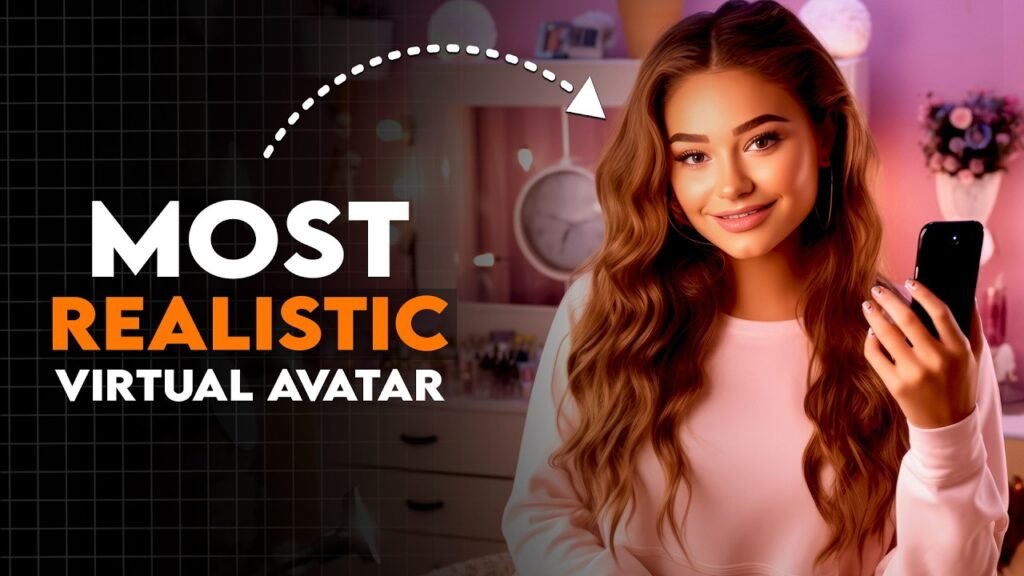
Best AI Tools for Talking Avatars (2026 Workflow Stack)
In 2026, creators rarely rely on one tool. Instead, they use a hybrid AI pipeline.
Core AI Avatar Tools
- HeyGen AI – realistic talking avatars with emotion control
- Synthesia 2026 – corporate + educational avatar generation
- D-ID Studio – fast face animation from images
- Runway Gen-3 – cinematic avatar motion and environment control
- CapCut AI Presenter Mode – mobile-friendly avatar creation
Supporting Tools
- ChatGPT-style script generators (for retention scripting)
- ElevenLabs AI voice cloning (natural human voice synthesis)
- Sora (OpenAI) – cinematic background generation for Shorts
CapCut vs Synthesia for AI Talking Avatar Creation
| Feature | CapCut AI Presenter | Synthesia |
|---|---|---|
| Ease of Use | Very simple mobile workflow | Medium complexity |
| Avatar Realism | Good for Shorts | Extremely realistic |
| Editing Control | High (mobile timeline edits) | Limited post-control |
| Voice Quality | AI-generated basic | Advanced neural voice |
| Best Use Case | TikTok & YouTube Shorts | Corporate videos, training content |
If you’re focused on faceless YouTube Shorts growth, CapCut AI is usually the faster option. But for premium storytelling, Synthesia still wins in realism.
How to Create AI Talking Avatars for Faceless YouTube Shorts (Step-by-Step Workflow)
Now let’s get into the actual production pipeline. This is the same structure used by many faceless automation channels scaling to millions of views.
Step 1: Build a High-Retention Script (Most Important Step)
Before touching any AI tool, you need a script designed for retention.
Here’s the structure I personally use:
1. Hook (0–2 seconds)
- Bold claim or question
- Pattern interrupt
Example:
“Most people think AI avatars are fake… until they see this.”
2. Problem (2–6 seconds)
- Identify viewer frustration
- Keep it relatable
3. Value Delivery (6–25 seconds)
- Step-by-step insight
- Fast pacing, no filler
4. Loop Ending (last 3 seconds)
- Open loop or curiosity reset
This structure alone can increase retention by 30–60% if done correctly.
Step 2: Generate Your AI Avatar
Now move into your tool of choice.
In CapCut AI Presenter:
- Open CapCut → AI Tools → “Talking Avatar”
- Upload or select avatar model
- Choose voice style (neutral, energetic, educational)
- Adjust expression intensity (medium works best)
- Sync script with auto-lip sync engine
Pro tip from real editing experience:
👉 Avoid extreme facial expressions. Subtle movement feels more “real” and improves watch time retention.
Step 3: Add AI Voiceover (Critical for Realism)
Even though avatars can generate voice, I recommend using ElevenLabs AI voices for better control.
Settings I use:
- Stability: 35–55%
- Clarity: High
- Emotion: Medium
- Speed: Slightly fast (1.05x)
This creates a more “scroll-stopping” rhythm.
Step 4: Background Generation with Runway or Sora
This is where cinematic quality increases dramatically.
Use:
- Runway Gen-3 → dynamic motion backgrounds
- Sora → cinematic storytelling environments
Examples:
- futuristic newsroom
- cyberpunk studio
- minimalist tech space
- abstract motion gradient
Here is the real talk about high-retention editing:
👉 Background motion = subconscious engagement boost.
Step 5: Edit in CapCut for Viral Structure
Now bring everything into CapCut.
Editing sequence:
- Sync avatar + voice
- Add jump cuts every 1.5–2.5 seconds
- Insert zoom-in keyframes on important words
- Add subtitle animations (always on-screen captions)
- Use speed ramping for emphasis
Captions are not optional anymore—they are retention anchors.
Step 6: Add AI Enhancements for 2026 Style
Modern faceless channels rely heavily on AI polish.
Apply:
- Auto color grading
- AI sharpening
- Motion tracking overlays
- Background blur separation
- Light glow effects (subtle only)
Don’t overdo effects—this is a common beginner mistake that kills authenticity.
Step 7: Optimize for Shorts Algorithm
To maximize reach:
- Keep videos 15–35 seconds
- Maintain fast pacing (no dead air)
- Ensure hook in first 1.5 seconds
- Use looping endings
- Add emotional trigger words
Retention = algorithm distribution.
Simple equation:
High retention → more replays → viral push
Common Mistakes Beginners Make
Let’s fix what usually goes wrong:
Mistake 1: Over-animated avatars
Too much movement looks robotic, not human.
Mistake 2: Weak scripts
AI avatar cannot save a boring script.
Mistake 3: Slow pacing
Short-form content must feel compressed.
Mistake 4: Ignoring subtitles
Silent viewers still need engagement.
Even small mistakes can reduce watch time drastically.
Why AI Talking Avatars Work So Well in 2026
We’ve moved from “face-driven content” to “system-driven content.”
AI avatars succeed because:
- They are consistent
- They scale infinitely
- They remove creator burnout
- They fit algorithm-friendly storytelling formats
Platforms now reward content systems, not just personalities.
That’s why faceless channels are scaling faster than traditional vlog creators.
Where vfxcut.xyz Fits Into This Workflow
At vfxcut.xyz, we break down real production systems used by viral creators:
- AI avatar workflows
- Short-form retention scripting
- CapCut editing systems
- Runway + Sora cinematic pipelines
- Viral storytelling psychology
This isn’t theory—it’s the exact structure used in modern faceless YouTube automation channels.
Final Thoughts
Creating AI talking avatars for faceless YouTube Shorts is no longer a futuristic idea—it’s the current standard for scalable content creation.
But here’s what separates viral creators from average ones:
👉 They don’t rely on tools. They rely on structure.
If your script is strong, your pacing is tight, and your visuals support retention, AI avatars become a powerful growth engine.
CTA
Start building your first AI avatar video today. Test different voices, experiment with pacing, and refine your retention structure.
Then explore more advanced tutorials, AI workflows, and short-form editing systems on vfxcut.xyz, your ultimate hub for VFX creators and faceless content builders.
Now go create something that doesn’t just look AI-generated—but looks viral.