Look, I’ve spent hours in the editing suite so you don’t have to—and here’s something most creators get completely wrong about aesthetic vlogs:
They think slow = boring.
But the truth?
The best editing style for “Day in the Life” aesthetic vlogs is slow… but intentional.
Here is the real talk about high-retention editing:
Aesthetic content doesn’t keep people watching because it’s fast—it keeps them watching because it feels good to watch.
That means:
- Smooth pacing
- Cinematic color grading
- Subtle motion
- Emotional storytelling
In 2026, creators are combining minimal editing with AI tools like CapCut, Runway, and Sora to create calm, high-retention content.
And yeah—this is exactly what creators on vfxcut.xyz are using to make aesthetic vlogs feel premium.
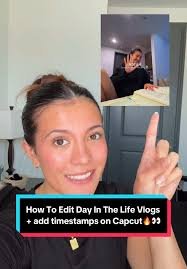
What Defines an Aesthetic “Day in the Life” Editing Style?
This style is all about feeling over speed.
Core elements:
- Soft transitions
- Natural lighting
- Warm tones
- Minimal but intentional cuts
- Ambient sound design
It’s less about showing everything… and more about showing the right moments.
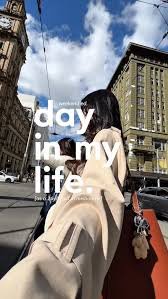
Why This Style Works for Retention
You might think fast edits = better retention.
Not always.
Aesthetic vlogs work because:
- They relax the viewer
- They create immersion
- They feel authentic
Instead of overstimulation, they provide:
controlled engagement.
Best Tools for Aesthetic Vlog Editing (2026)
CapCut
- Simple timeline
- Smooth keyframing
- Easy color grading
Runway
- AI color enhancement
- Scene smoothing
- Lighting adjustments
Sora
- Cinematic scene generation
- Visual storytelling
Premiere Pro / DaVinci Resolve
- Advanced grading
- Professional workflows
Comparison Table: Editing Tools
| Tool | Ease of Use | Cinematic Control | Best For |
|---|---|---|---|
| CapCut | ⭐⭐⭐⭐⭐ | ⭐⭐⭐⭐ | Mobile creators |
| Runway | ⭐⭐⭐⭐ | ⭐⭐⭐⭐⭐ | AI enhancement |
| Sora | ⭐⭐⭐ | ⭐⭐⭐⭐⭐ | Cinematic visuals |
| DaVinci Resolve | ⭐⭐⭐ | ⭐⭐⭐⭐⭐ | Color grading pros |
Step-by-Step: Best Editing Style for “Day in the Life” Aesthetic Vlogs
Let’s build a real workflow.
Step 1: Select the Right Clips
Choose clips that feel:
- Calm
- Natural
- Visually pleasing
Avoid chaotic or shaky footage.
Step 2: Build a Soft Narrative
Structure your vlog:
- Morning routine
- Midday activity
- Evening wind-down
Even simple content needs flow.
Step 3: Cut with Intention
Inside CapCut:
- Keep clips longer than usual
- Remove only distractions
- Let moments breathe
This is where many creators over-edit.
Step 4: Add Subtle Motion with Keyframing
Use keyframing to:
- Slowly zoom in
- Add gentle pan
- Create movement
Keep it minimal. This isn’t TikTok hype editing.
Step 5: Apply Cinematic Color Grading
This is the most important step.
Use color grading to:
- Warm up tones
- Reduce harsh contrast
- Create a soft look
Pro tip:
Lower highlights slightly for a filmic feel.
Step 6: Use Soft Transitions
Avoid harsh cuts.
Use:
- Cross dissolve
- Fade in/out
- Motion-based cuts
Smooth transitions = better immersion.
Step 7: Layer Ambient Sound
Add:
- Background noise (coffee shop, rain)
- Soft music
- Natural sounds
Sound design is what makes it feel real.
Step 8: Enhance with AI Tools
Use Runway to:
- Smooth lighting
- Enhance colors
- Fix inconsistencies
Use Sora for:
- Cinematic inserts
- Creative storytelling
Step 9: Maintain Visual Consistency
Make sure:
- Lighting matches
- Colors are consistent
- Style stays uniform
Consistency builds trust.
Step 10: Optimize for Retention
Even slow videos need engagement:
- Add micro motion every few seconds
- Change angles subtly
- Keep visuals evolving
Aesthetic Editing Settings Checklist
Before exporting:
- Clips flow naturally: ✔
- Keyframing subtle: ✔
- Color grading consistent: ✔
- Audio balanced: ✔
- No harsh cuts: ✔
- Lighting smooth: ✔
- Mood consistent: ✔
High-Retention Aesthetic Techniques (2026)
1. Micro Movement
Even calm videos need motion.
Add:
- Slight zooms
- Gentle camera movement
2. Emotional Timing
Cut based on feeling—not just visuals.
3. Natural Lighting Focus
Use:
- Window light
- Golden hour
Avoid artificial harsh lighting.
4. AI-Assisted Cinematic Look
Use Runway to:
- Enhance mood
- Balance lighting
- Improve visuals
Common Mistakes (Avoid These)
Let me save your time:
- Over-editing
- Using flashy transitions
- Ignoring sound design
- Inconsistent color grading
Also—don’t try to make aesthetic content fast-paced. That kills the vibe.
Advanced Workflow: Cinematic Aesthetic System
Here’s what top creators are doing:
- Capture natural footage
- Select calm, clean clips
- Edit minimally
- Add subtle keyframing
- Apply cinematic color grading
- Layer ambient sound
- Enhance with AI
This system creates premium aesthetic content.
Final Thoughts (Creative Mentor Mode)
Look—mastering the best editing style for “Day in the Life” aesthetic vlogs isn’t about doing more.
It’s about doing less… but better.
Every edit should:
- Feel natural
- Support emotion
- Maintain flow
If your video feels calming and immersive, viewers stay—even if nothing “crazy” happens.
Even if your using a phone, this style can make your content feel cinematic and professional.
That’s the real power.
Call to Action
Now it’s your turn.
Take a simple day from your life and edit it using this aesthetic workflow. Focus on mood, pacing, and subtle details.
When you get it right, your content won’t just be watched—it will be felt.
And if you want more pro-level breakdowns, editing workflows, and insider strategies, check out vfxcut.xyz—the ultimate hub for short-form creators and VFX enthusiasts.
Your next viral vlog isn’t about doing more.
It’s about creating a feeling people don’t want to leave.